
An XM logo is easy to recognise. The useful detail is the company underneath it. A Kenyan trader researching the broker can now check a local XM route against a Kenyan regulator’s directory, which is a better starting point than a review that discusses only an overseas licence.
The checks below use public information reviewed on 7 September 2026. They do not report a new account approval, payment test or personal trading experience. Use the XM country guide hub for residence-specific comparisons and the main XM review for the broader platform and cost assessment.
Is XM regulated in Kenya?
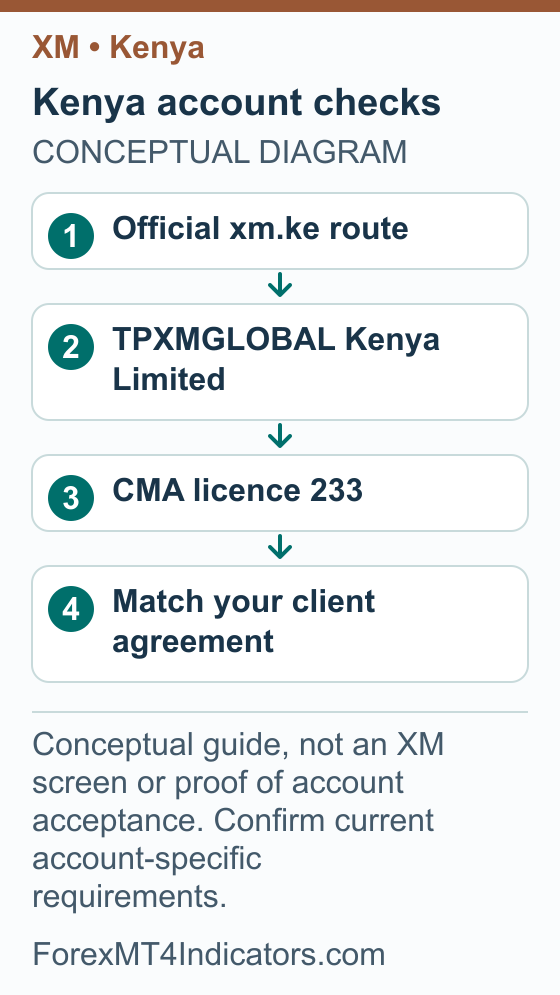
The CMA’s non-dealing online foreign exchange broker register lists TPXMGLOBAL Kenya Limited, licence 233. XM’s Kenyan regulation page names the same company and licence. These are two separate sources supporting the local company match.
That finding does not make every account carrying the XM brand a Kenyan account. The company in your agreement determines which contract you have. A licence also does not protect you from losing money on leveraged trades or certify that a particular strategy works.
Step 1: Match the company before you choose an account
- Start with the official Kenyan XM website and read the company information in its footer.
- Find TPXMGLOBAL Kenya Limited in the CMA directory and compare the licence number, 233.
- Read the agreement applicable to your application. Compare its legal company name with the website and register.
- If the agreement names a different XM company, ask official support which company will hold your account and which complaints procedure applies.
- Save the applicable agreement and its date before you accept it. Keep the document with your account records.
Our guide to choosing a forex broker explains why this company check belongs alongside costs, execution terms and support. A familiar brand name cannot answer all four questions.
XM Kenya account types and the minimum deposit
Read the account details, not only the minimum
The XM Kenya account page can expand into more detail for each account. The public Ultra Low example captured on 7 September 2026 shows the minimum alongside other conditions.
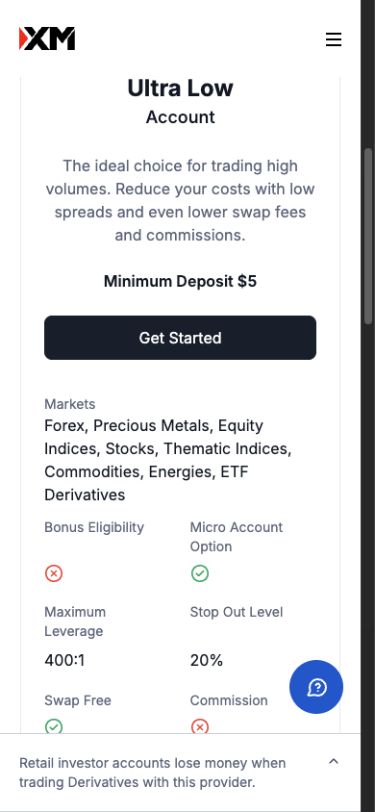
- Read the rows for the particular account you are comparing; a promotion displayed elsewhere does not override these conditions.
- Keep the current account terms and payment instructions together. A minimum-deposit headline is not a risk limit or a guarantee of personal eligibility.
The xm.ke account page displayed Standard and Ultra Low accounts when checked, with a $5 minimum deposit for each. Treat that as the public Kenyan account-page snapshot. The amount a particular payment method accepts, its currency conversion and the account options actually offered to you still need checking.
| Account shown on xm.ke | Displayed minimum | What to compare before selecting it |
|---|---|---|
| Standard | $5 | Spreads on your instruments, overnight charges, contract size and any optional promotion terms |
| Ultra Low | $5 | The same total-cost questions, including any commissions and restrictions relevant to your instruments |
A low opening threshold says little about a workable trading budget. You need enough room for the position size, planned stop and margin requirement of the trade you actually intend to take. If the smallest permitted trade risks more than your limit, practise on demo instead of making the stop artificially tight.
The XM account comparison covers the cost questions in more detail. The minimum-deposit guide separates an opening threshold from payment minimums and money available for risk.
Step 2: Prepare a consistent profile and document set
- Read the Kenyan legal documents and follow the requirements attached to your application.
- Enter your real residence and full name consistently. Compare the spelling with the identity document you intend to provide.
- Check the requested document category, expiry rules, image format and any address-document age limit before making files.
- Use a clear, complete image of the original document. Check that corners, names, dates and addresses can be read without guessing.
- If your bank, identity document and address evidence use different names or addresses, ask what supporting evidence is needed before submitting conflicting versions.
- Keep the response and current verification status. A successful upload is not necessarily completed verification.
Read Kenya’s public registration form
These captures show two regions of the same blank XM Kenya registration form on 7 September 2026. Kenya is selected in the residence field. No personal details, consent or application were submitted.
Any bonus banner visible in the capture is provider advertising. Its appearance does not confirm eligibility for you or for the account type you choose.
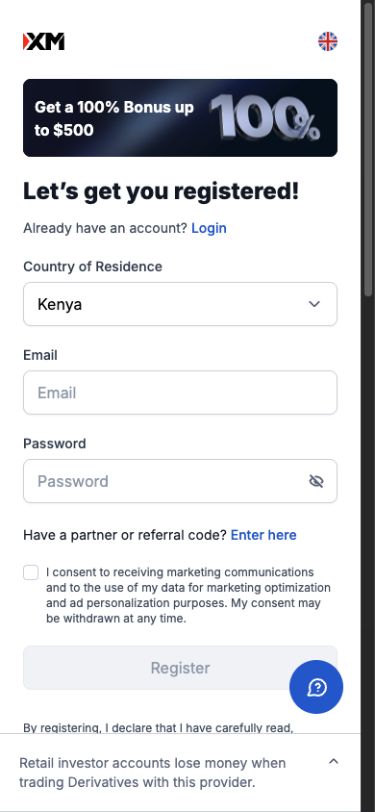
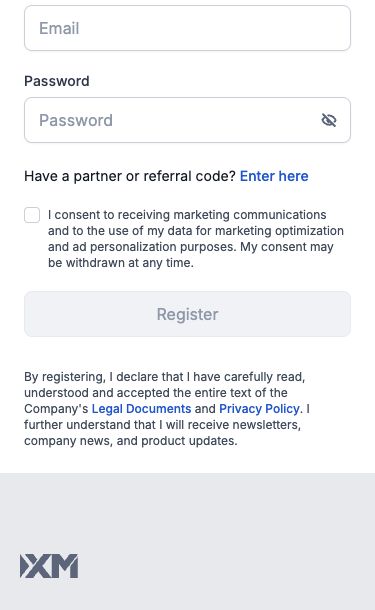
- Use your actual residence and compare the agreement company with the Kenyan company and CMA record discussed above.
- Protect your email address and use a unique profile password. Read the marketing choice separately from the agreement.
- Follow the confirmation message after registration, then complete the profile and document checks requested for your account.
The Kenyan privacy policy describes identity, contact, verification, financial and trading-experience information used during onboarding. Its document categories are not a promise that every example document will satisfy your application. Follow the actual request, including any extra information needed to explain your circumstances.
Avoid sending identity documents to somebody offering to “speed up” approval in a social group. Use the official account or the secure channel identified by official support. You do not need to share a password or a one-time code for someone to explain a document requirement.
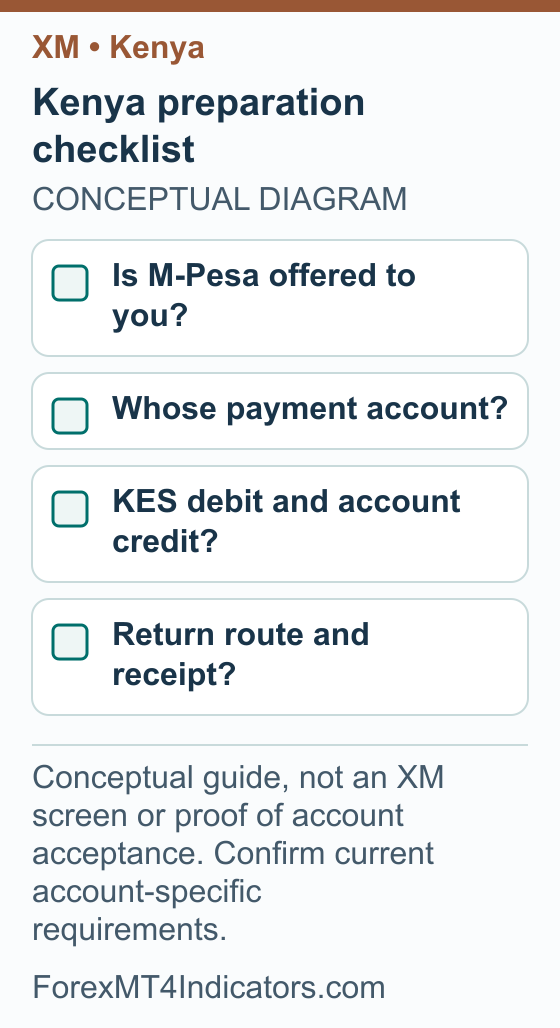
Does XM support M-Pesa in Kenya?
M-Pesa is a reasonable question for a Kenyan reader, but the public sources reviewed here do not establish a current, account-specific XM M-Pesa deposit and withdrawal service. That is an evidence gap, not proof that the method is unavailable. Check the methods actually offered in your verified account and get written clarification if the return route is unclear.
A payment logo alone is insufficient. You need the payment provider, account-ownership rule, debit currency, account credit, limits and withdrawal destination. Do not send money to a personal number supplied in a chat merely because someone describes it as an XM collection number.
Step 3: Check a payment quote before making a decision
- First confirm the payment channel and proposed transaction are permitted for you and supported by the company in your agreement.
- In the official account, identify the method offered and read its current instructions. Check who must own the sending account.
- Write down the KES amount to be debited, any separate charges and the exact amount and currency to be credited.
- Check the minimum and maximum for that method, rather than assuming the account-page minimum applies to every transfer.
- Ask how money would be returned, including what happens if the original method becomes unavailable.
- Retain the quote and instructions. If an unexplained name or payment destination appears, resolve it through official support before proceeding.
Understand KES and your trading-account currency
Your household budget may be in Kenyan shillings while your trading account displays another currency. Keep both amounts on the same worksheet. A payment in KES does not establish that KES is available as an account base currency, and an account balance is different from the margin reserved for open positions.
Here is an illustrative calculation, not a live exchange rate or payment quote. Suppose your budget is KES 15,000 and the example conversion rate is KES 150 for USD 1. Dividing 15,000 by 150 gives USD 100 before any fees or conversion adjustments.
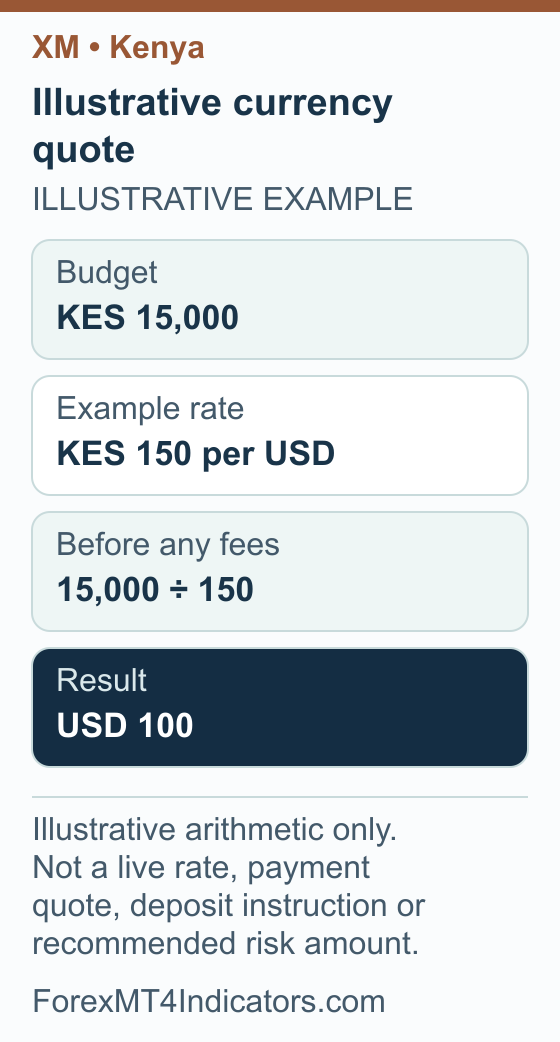
The currency converter can help you understand the arithmetic. The final account-specific quote matters for a real transaction. Use the lot-size calculator separately to work out position size from the account currency, stop distance and risk amount.
Do not confuse conversion costs with trading costs. The first affects money moving between currencies; spreads, commissions and overnight charges affect positions. Listing them separately makes it easier to explain why a balance changed.
Connect XM MT4 or MT5 with the right credentials
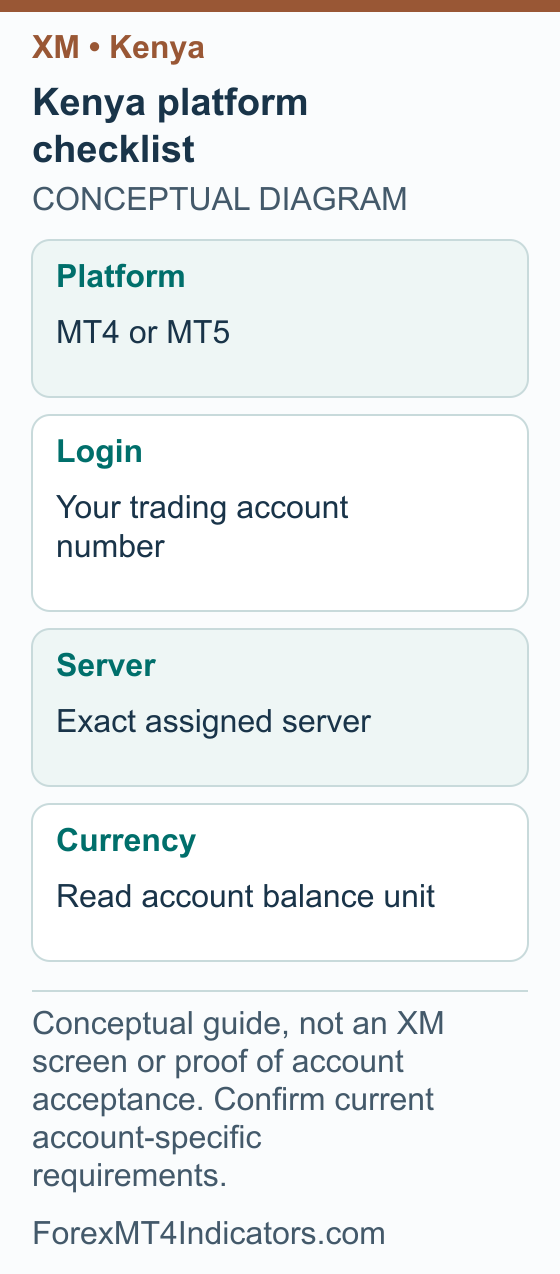
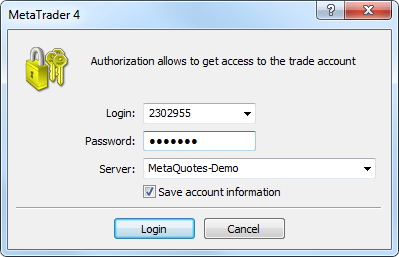
XM’s Kenyan website provides MT4 and MT5 platform information. Use the platform assigned to the trading account you want to access. Your website profile and a particular trading account are separate records, so keep the account number and server together.
Step 4: Connect the assigned trading account
- Open the correct platform and its trading-account login option.
- Enter your own trading account number and password.
- Select the exact server assigned to that account.
- Confirm the displayed account and whether it is demo or real before doing anything else.
The login fields are documented in MetaQuotes’ MT4 authorization guide. Our XM MT4 setup guide and XM MT5 guide provide the wider platform context.
Step 5: Diagnose a login problem without changing everything
- Confirm the platform matches the account: MT4 credentials belong with the assigned MT4 account, and likewise for MT5.
- Recheck the full server name against the account details, including demo or real wording.
- Read the exact error and record when it occurred. Remove account numbers from any public screenshot.
- Use official recovery options if the password is uncertain. Avoid repeated guesses or third-party “account repair” software.
- If the problem remains, contact support with the platform version, server and error text through a private official channel.
A connected chart is not a reason to place an immediate order. Use the demo-account guide to practise navigation and order handling first. Check the symbol, volume and account type each time you change devices.
XM bonus in Kenya: use the terms for the Kenyan account company
Bonus review: 8 September 2026. We have not verified a current bonus amount for an account held with TPXMGLOBAL Kenya Limited. The local company match explained above is useful, but a Kenyan licence does not mean that an XM Global promotion applies to the same account.
Where a deposit-credit offer applies, its practical benefit is extra trading margin. The credit is not withdrawable cash and should not be included in the KES amount you expect to receive from a bank or mobile-money withdrawal. Keep the provider, currency and promotional terms together when comparing accounts.
- Start with the agreement. Identify whether your account names the Kenyan company or another XM entity. Ask the provider for the promotion issued for that agreement, rather than borrowing a bonus table from an international page.
- Check the intended audience. Find Kenya and your eligible account conditions in the applicable offer. An “Africa” heading is not enough to establish inclusion, and a campaign from a previous year is not a current schedule.
- Read the payment quote. If a payment method is offered to your account, compare its KES debit, any conversion and the net deposit currency. A bonus advertisement does not confirm that M-Pesa is available or qualifies.
- Ask about withdrawing. Read how credit changes when cash leaves the account or moves to another account. Check the effect on existing positions before relying on that credit as margin.
The global XM bonus mechanics guide can help explain terminology. Its XM Global examples are not terms for TPXMGLOBAL Kenya Limited. Use the matched account documents for the actual decision.
Withdrawals and official support in Kenya
Read the withdrawal rules for your own account and payment method. A request being submitted, approved, sent and received are separate events. Keep the dates for each stage instead of treating a processing estimate as a guarantee of arrival in your bank or payment account.
Step 6: Build a useful withdrawal or support record
- Record the requested amount and currency, transaction reference and submission time.
- Check the account’s displayed status and whether it requests further information.
- Compare the proposed receiving route with the original funding instructions and ownership details.
- Ask official support for the reason and next step if a request remains pending, is rejected or shows sent without receipt.
- Keep the case reference and replies. Once received, reconcile the destination amount, conversion and separately stated fees.
The official Kenyan contact page links to the Help Center and identifies a Kenya office. Use the current official channels for contact details; do not assume that an office address means walk-in support is available. The XM withdrawal guide explains the wider process, while our broker-withdrawal checklist helps organise evidence for a specific issue.
Frequently asked questions
Is XM licensed by the CMA in Kenya?
TPXMGLOBAL Kenya Limited appears in the CMA non-dealing online foreign exchange broker register under licence 233, and xm.ke identifies the same company. Match your own agreement to that company. The finding does not mean every XM account worldwide has Kenyan regulatory treatment.
What is XM’s minimum deposit in Kenya?
The Kenyan account page displayed $5 for Standard and Ultra Low accounts when checked on 7 September 2026. Your chosen payment method may have its own limits and conversion costs. The displayed opening threshold is not a recommended trading budget or risk amount.
Can I deposit or withdraw through M-Pesa?
This guide has not verified a current M-Pesa option for an individual account. Look at the methods offered in your official account and confirm ownership rules, limits, currency conversion and the return route with support. Do not treat an unofficial payment number as broker instructions.
Can my XM account balance be in KES?
A Kenyan residence or a payment debited in KES does not prove that KES is available as an account base currency. Check the currency choices offered to your account before selecting one, then compare the quoted account credit with the total shilling cost.
Which documents should I prepare?
Prepare the identity and address evidence actually requested for your application, with consistent names and clear, complete images. The Kenyan privacy policy describes the categories of onboarding information it may collect. The requested document type, acceptable age and any extra evidence must be checked in your current application.
Why does my XM account fail to connect to MT4?
Check the assigned platform, trading account number and exact server before resetting anything. Record the error text and use official password recovery if needed. A website login is not automatically the credential for every trading account, and a generic example server should never replace your assigned one.
Forex and CFD trading carries a high level of risk and may not be suitable for all traders. This guide is educational. Past performance does not guarantee future results. Always test on a demo account before risking real capital.
Sources and review scope
Sources checked on 7 September 2026 unless another date is shown. Instructions based on public documentation are distinguished from personal account tests.
- CMA non-dealing online foreign exchange broker register. Checked 2026-09-07.
- MetaQuotes MT4 account authorization. Checked 2026-09-07.
- XM Kenya official website. Checked 2026-09-07.
- XM Kenya account types. Checked 2026-09-07.
- XM Kenya legal documents. Checked 2026-09-07.
- XM Kenya MT4 platform. Checked 2026-09-07.
- XM Kenya MT5 platform. Checked 2026-09-07.
- XM Kenya privacy policy. Checked 2026-09-07.
- XM Kenya regulation. Checked 2026-09-07.
- XM Kenya contact and Help Center. Checked 2026-09-07.
- XM public deposit-bonus explanation: Current public XM Global deposit-credit explanation; region-dependent availability/percentage, nonwithdrawable credit. A 100% illustration does not identify a universally available 100% promotion. Bonus-section source checked 2026-09-08.
- XM account-applicable legal documents: Account-applicable documents are identified during registration. Bonus-section source checked 2026-09-08.