
For a Philippine reader, the useful XM guide starts before the payment screen. Which company is involved? What do the Philippine regulatory records say? Does the account information actually apply to Philippine residents, and can an existing transaction be traced from the peso payment to the account record?
Those questions deserve direct answers. This guide uses public sources and explains practical checks without claiming a Philippine account, GCash transfer or withdrawal was tested. The XM country hub helps you choose the guide for your actual residence; the global XM review covers the broader broker comparison.
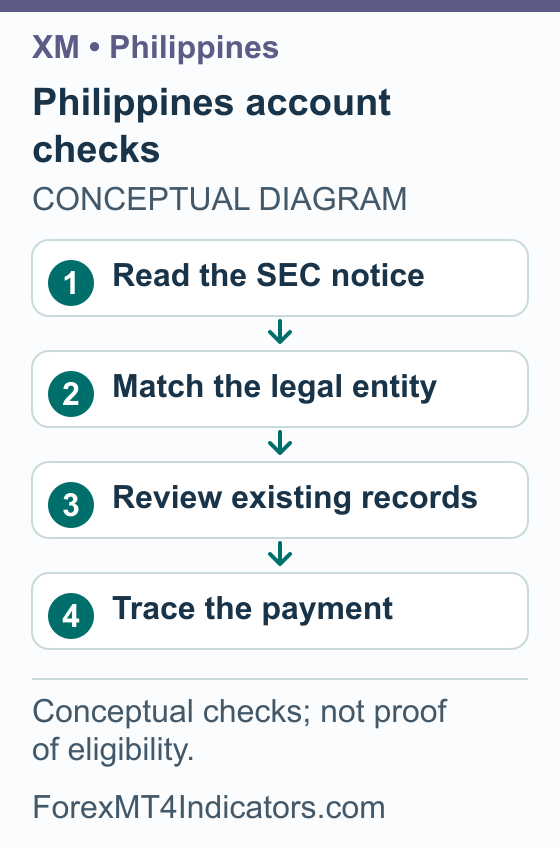
Start with the Philippine SEC record
Checked 7 September 2026: the Philippine SEC’s official issuance index lists a publication dated 10 December 2025 naming Trading Point Holdings Limited, XM, XM Global Limited and XM Philippines, alongside named individuals. Read the relevant SEC publication and current records before making an account or funding decision.
This research has not established Philippine SEC authorisation for the proposed account company. An overseas licence and a Filipino-language website do not establish it. Equally, do not attribute every similarly named investment scheme or social-media profile to the genuine XM broker without checking the exact names and domains.
- Find the SEC publication through the official site, keeping its date and full title.
- Match the named company and website to the account or offer you are considering.
- Read what the publication actually says about the activity, rather than treating a headline as the complete finding.
- Check for later official records or decisions that may affect the position.
- If the relevant status remains unclear, ask the regulator or a qualified adviser a specific question before committing funds.
An account opening decision by a provider is a different issue from local authorisation. A successful login, visible deposit option or sponsorship announcement does not answer both questions. Our broker selection guide explains how to compare the company, costs and protections without relying only on brand familiarity.
Why a Filipino page can display a different regional offer
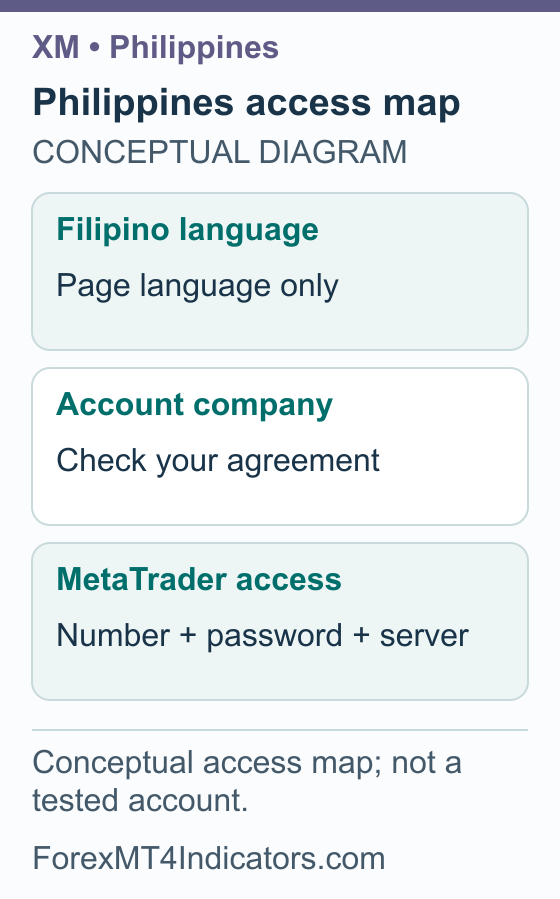
The Filipino account page retrieved for this guide displays Ultra Low and Zero accounts, each with a USD 5 minimum. Its footer identifies Trading Point of Financial Instruments Limited in Cyprus and says its investment services are for EEA residents. That is a concrete reason not to turn a language page into a Philippine account table.
The page response does not prove that XM Global rejects all Philippine residents, either. It establishes the scope of the page we received. The company and terms applicable to a real account must be identified separately, using accurate residence information.
- Record the full company name on the account agreement, rather than only “XM”.
- Compare it with the footer of the page you are reading. If they differ, do not combine the terms.
- Identify the actual account type, MT4 or MT5 platform and base currency.
- Read the applicable product, cost and withdrawal documents supplied for that company.
- Keep unresolved country eligibility and local-authorisation questions visible. Ask official support about the provider’s side of the relationship without treating its answer as a domestic licence.
Use the XM account types guide to understand the comparison fields. A Standard account described on another page, a Zero account in an EEA view and a social-media promotion should not be assembled into one supposedly available Philippine package.
Prepare documents and keep ownership consistent
XM’s legal documents page says applicable documents are marked during registration. XM Global’s identification policy reserves verification before account opening and payments of proceeds. Neither establishes a universal Philippine identity-document checklist.
- Use accurate legal name, residence and contact information you control.
- For an actual verification request, read the accepted identity and address document types before uploading.
- Do not assume a PhilID, passport, driving licence or wallet profile satisfies every requirement. Use only the accepted type and required sides.
- Check image clarity, validity where relevant and any genuine name or address mismatch.
- Keep the outcome, account statement, payment receipt and support case together. Protect full document numbers when sharing a copy for help.
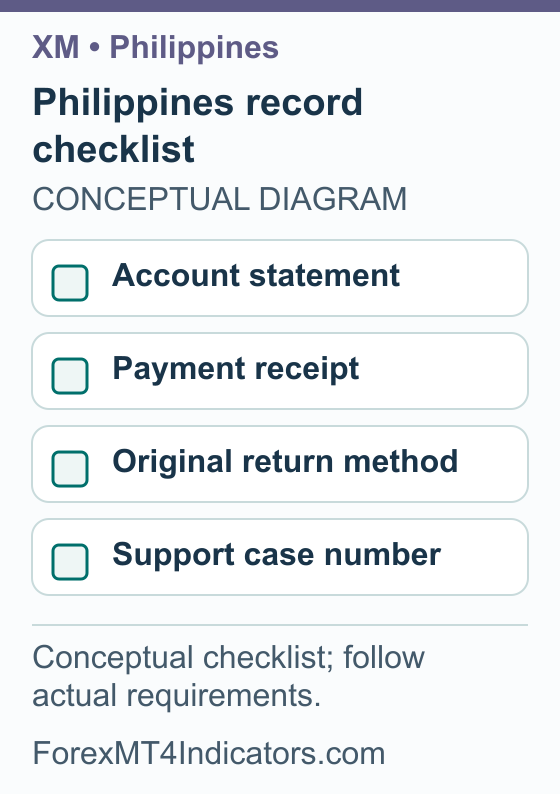
If you are dealing with an existing account, identify whether a document request affects the whole profile or a specific withdrawal. Ask for the exact missing requirement. Repeatedly creating accounts or uploading unrelated documents can make a straightforward question harder to resolve.
Do not send identity scans, one-time codes or trading passwords to someone who claims they can guarantee approval. Open support through the official account route. A genuine need for clarification should produce a clear explanation of the required document or transaction, not pressure to hand over credentials.
Understand PHP amounts without assuming a payment method
A payment in pesos, an account balance in dollars and the currency in a trading symbol are separate fields. A PHP amount on a receipt does not establish that the trading account’s base currency is PHP. We have not verified PHP base-currency support or any specific local bank or wallet inside an authenticated account.
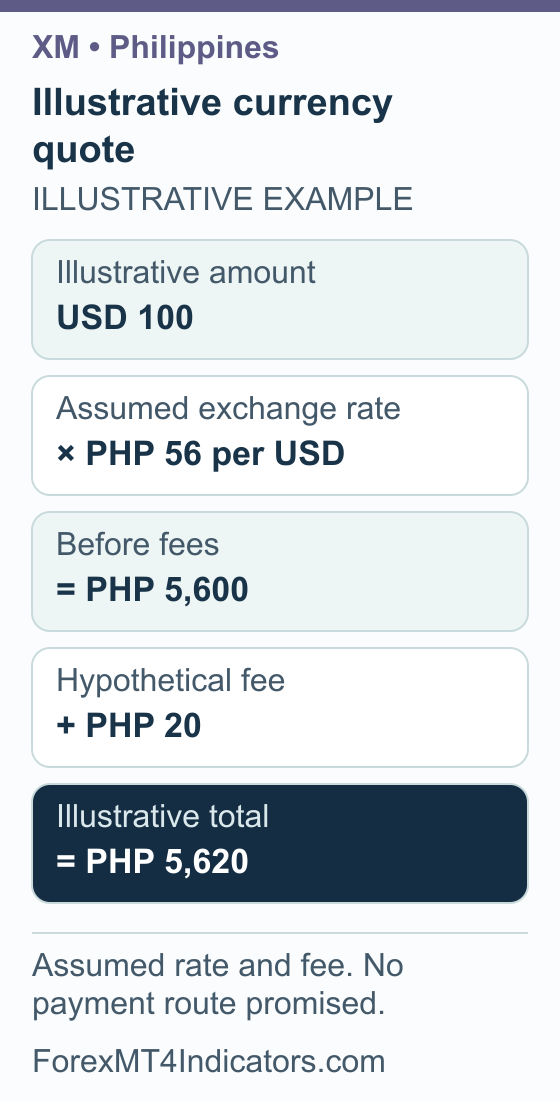
Illustrative example: USD 100 at an invented PHP 56 per dollar gives PHP 5,600. A hypothetical PHP 20 fee added to that debit makes PHP 5,620. The example explains how a quote is built; it is not today’s exchange rate, a provider fee or a recommended payment.
- Identify the intended account number and the currency in which it keeps its ledger.
- Read only the methods actually offered through the account’s official process. Do not assume GCash, Maya, InstaPay, PESONet or a named bank is supported.
- Check the minimum, maximum, permitted currency and ownership rules for any available method.
- Record the expected PHP debit and account-currency credit with the conversion direction.
- Separate added fees from deducted fees. Ask who applies a charge and where it is recorded.
- Keep the quote, receipt and original-funding return instructions. A displayed method still does not settle the local regulatory question.
Our currency converter can help check the arithmetic at a reference rate. Use the actual transaction quote for reconciliation. An external payment provider can have conditions that differ from the broker’s general description.
If a method is unavailable, do not send money to a personal account supplied in a chat as a substitute. Ask for an officially documented route and confirm that it is appropriate for the actual account and local requirements. A payment screenshot from another trader cannot do that verification for you.
Connect the correct account or identify a login problem
Search results for “XM Philippines login” may lead to account administration, a trading platform or a lookalike site. Keep the purpose of the login clear. The company in your agreement remains relevant even when the terminal looks the same as another trader’s software.
- Identify whether the trading account uses MT4 or MT5.
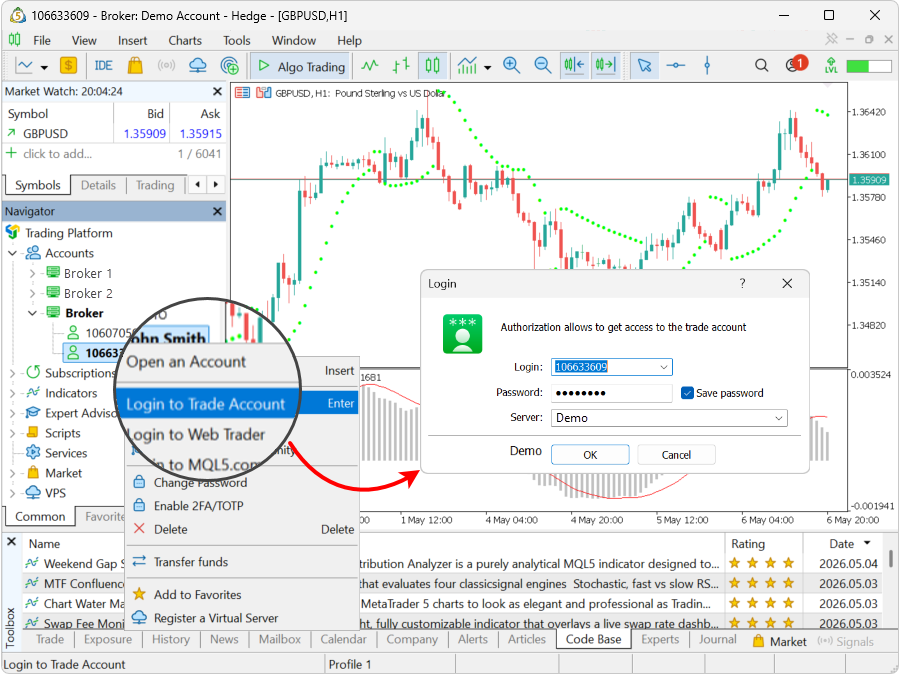
- For desktop MT5, choose File, then Login to Trade Account.
- Enter account number, password and exact assigned server using MetaQuotes’ generic connection instructions.
- Confirm the account identity after connection. Investor access permits viewing but cannot place trades.
If the password fails, check which password was changed and for which account. If the platform connects but a balance looks wrong, compare the account number and currency before assuming money is missing. Do not place another payment to troubleshoot an unidentified account.
The XM MT5 setup guide covers the platform in more detail. For a computer-installation problem, our MT4 guide for Mac deals with the installation itself. Platform installation, account acceptance and local authorisation remain separate matters.
XM bonus in the Philippines: verify the campaign behind the message
Bonus review: 8 September 2026. A current XM no-deposit amount or deposit-bonus schedule for Philippine residents was not verified in this review. Eligible deposit credit can add trading margin; it is not a cash reward paid into a Philippine bank account or wallet. A Filipino-language message does not establish either account eligibility or local authorization.
Give the offer the same identity check as the service itself. The SEC context above concerns named entities and activity. A social-media profile using an XM logo is not automatically the genuine provider, and a genuine provider’s advertisement still needs to match your account and residence.
- Find the original source. Locate the promotion on the provider’s official site or in your existing account. Record its date and full issuer name, rather than relying on a forwarded image or group invitation.
- Check the benefit and conditions. Ask which account qualifies, whether the offer requires a deposit and what limits or deadlines apply. No-deposit and deposit credit can have different withdrawal rules.
- Write down both currencies. Compare the PHP amount leaving your payment account with the currency and net amount credited for trading. Do not infer GCash availability or a fixed peso bonus from a generic advertisement.
- Read removal rules before a request. For an existing account, check what a withdrawal or transfer would do to credit, especially if positions remain open.
Our XM bonus eligibility and credit guide explains the distinctions. Use it to frame questions about the actual offer, while keeping the Philippine SEC and account-company checks in view.
Trace existing withdrawals and explain a problem clearly
Read the original-payment-return conditions before assuming any available deposit method can receive every withdrawal. XM’s published payment FAQ distinguishes its processing from final bank or provider clearing. This guide contains no tested Philippine withdrawal route or guaranteed receipt time.
- Match the existing account, requested amount and currency to the original payment records.
- Check the current available amount and any verification request or open-position implications.
- Read the destination and original-return requirements for the account.
- Save the request number, status and timestamp, including the time zone if shown.
- Ask whether the request is waiting for broker action or has been sent externally; obtain the appropriate trace reference once sent.
- If it remains unresolved, keep the agreement, receipts and correspondence in date order and use the formal complaint route relevant to the issue.
Use the XM withdrawal walkthrough to record which stage needs a reply from the provider. A closed bank account, expired card or changed name needs a documented explanation to the actual provider. Do not replace the receiving details with a friend’s account to sidestep the question. Likewise, an unsolicited recovery offer is not a substitute for official support or a regulator complaint.
For educational trade planning, the lot size calculator can explain the connection between a planned stop and cash exposure. It cannot verify a broker, approve a payment route or guarantee a loss limit. Keep those decisions separate from a calculation that happens to return a small number.
XM Philippines questions
Is XM authorised by the Philippine SEC?
This research has not established Philippine SEC authorisation for the proposed account company. The SEC’s official index includes a December 2025 issuance naming XM-related entities. Read the relevant official publication and current records before relying on an offshore licence or promotional claim.
Does the Filipino account page apply to Philippine residents?
Not automatically. The Filipino page response reviewed here identifies a Cyprus company and an EEA service scope. Language alone does not establish the offer for a Philippine resident. Match the actual agreement, company and residence before comparing account terms.
Can I use GCash or Maya with XM?
Neither was verified inside a private Philippine account during this research. Check the methods actually offered and their ownership, currency and return requirements. A local wallet’s popularity or a screenshot from another account does not establish support for yours.
Is USD 5 the same as the minimum PHP payment?
No. A dollar-denominated account minimum and a payment method’s peso minimum answer different questions. Conversion and charges can change the debit. The public USD 5 figures on the observed EEA page also do not establish your own account’s offering.
Why does MetaTrader show prices but refuse orders?
First confirm the account, platform and access rights. MetaTrader investor credentials permit viewing but not trading. Other restrictions need the exact account status and error message. Do not assume that depositing more money will correct an access or authorisation problem.
How do I follow up a delayed Philippine withdrawal?
Keep the request, currency, amount, status and payment reference, then ask which stage is incomplete. Broker processing and receiving-provider clearing are different. Use official support and the relevant formal complaint process if needed, without assuming a particular arrival time or recovery result.
Sources and review scope
Some provider links use affiliate tracking. We may earn a commission if you open an account through them.
Sources checked on 7 September 2026 unless another date is shown. Instructions based on public documentation are distinguished from personal account tests.
- Philippines SEC official issuance index. Checked 2026-09-07.
- XM account types in Filipino, observed Cyprus/EEA response. Checked 2026-09-07.
- XM legal documents. Checked 2026-09-07.
- XM Global money laundering prevention policy. Checked 2026-09-07.
- XM published payment questions. Checked 2026-09-07.
- MetaQuotes MT5 account connection. Checked 2026-09-07.
- XM public deposit-bonus explanation: Current public XM Global deposit-credit explanation; region-dependent availability/percentage, nonwithdrawable credit. A 100% illustration does not identify a universally available 100% promotion. Bonus-section source checked 2026-09-08.
- XM account-applicable legal documents: Account-applicable documents are identified during registration. Bonus-section source checked 2026-09-08.
- XM published payment questions