
A working website, an account number and a payment logo answer different questions. None, by itself, tells a Pakistani resident whether a proposed offshore forex transaction is permitted. Start with that distinction and the rest of the account checks become much clearer.
This guide uses public sources checked on 7 September 2026. It does not report a personally opened Pakistani account or a successful transfer. The XM country hub covers other residences; the main XM review explains the broker’s broader services without turning those services into Pakistan-specific approval.
What does SBP say about offshore forex platforms?
In its 18 May 2022 advisory, the State Bank of Pakistan says residents are prohibited from buying products or services offered by the offshore forex, margin and CFD platforms it describes. It also addresses direct or indirect foreign-exchange remittances through any payment channel and potential proceedings under FERA 1947. The advisory is about the category of activity; its examples do not name XM.
That is a material funding restriction, not merely a missing local broker licence. Before considering a transaction, get current guidance from an authorised institution or a qualified local adviser about your circumstances. Changing the wallet, intermediary or payment description does not resolve the underlying question.
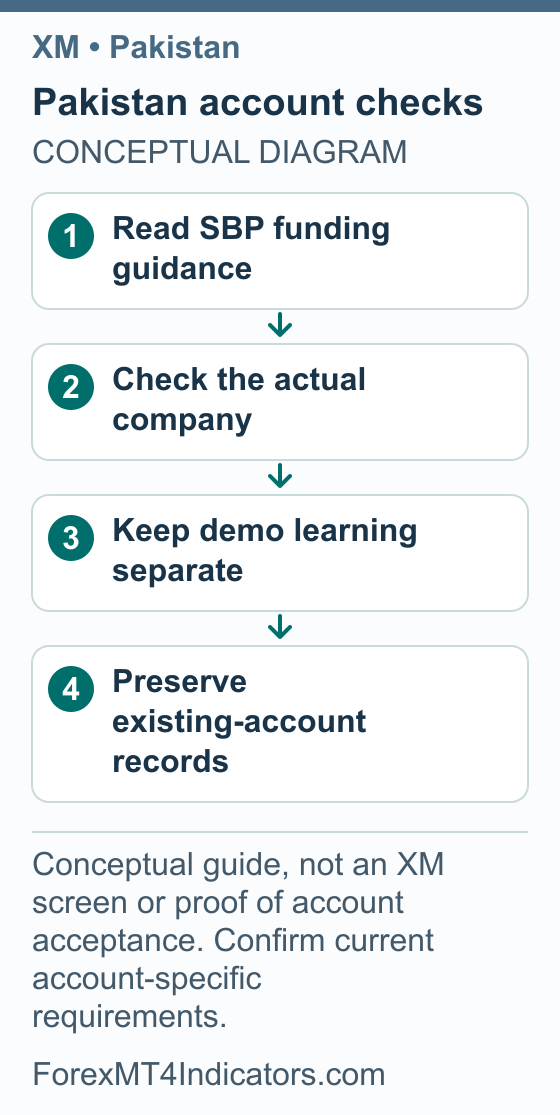
Step 1: Establish what account or service you are looking at
- Start from the official XM website or an account bookmark you have independently confirmed. Check the full domain before entering information.
- Read the legal company name in the applicable documents, rather than relying on a flag or translated page.
- If you already have an account, compare the agreement with your account records and any later company-change notice.
- Ask official support to identify the contracting company if the records conflict. A generic group licence list is not the answer to that account-specific question.
- Keep the company, agreement date and support response together. Check local transaction rules separately before considering any payment.
XM’s legal-document page explains that documents applicable to an account are identified during registration. The public view retrieved for this guide named XM Global Limited in Belize. It did not establish a current company assignment for a particular Pakistani applicant or a Pakistani authorisation.
Account types: compare the terms that actually apply
Do not copy an account table from another country into a Pakistan application. First establish the account company and the options actually offered. Then compare costs on the instruments you would study, rather than picking a label because it sounds suitable for beginners.
| Account question | What you need to record | Why it matters |
|---|---|---|
| Trading account or demo? | Account type and whether the balance is virtual | A demo result is not a withdrawal entitlement |
| Account currency | The exact currency code | A USD balance and a PKR budget use different units |
| Trade size | Contract size, smallest volume and volume increment | A small account can still have an oversized minimum trade |
| Costs | Spread, any commission and overnight charges | One headline spread does not describe the entire cost |
| Margin | Instrument-specific requirement and liquidation terms | Available leverage is not a sensible risk target |
The XM account-type guide helps you interpret the terminology. If you are only starting, our forex introduction explains the difference between exchanging currency and taking exposure through a leveraged product.
Keep account promotions outside the initial decision. A credit advertised on a website is not necessarily cash you can withdraw. Read the XM bonus-terms guide before interpreting any balance that includes promotional credit, and do not assume an offer applies in Pakistan.
Step 2: Organise identity and account records
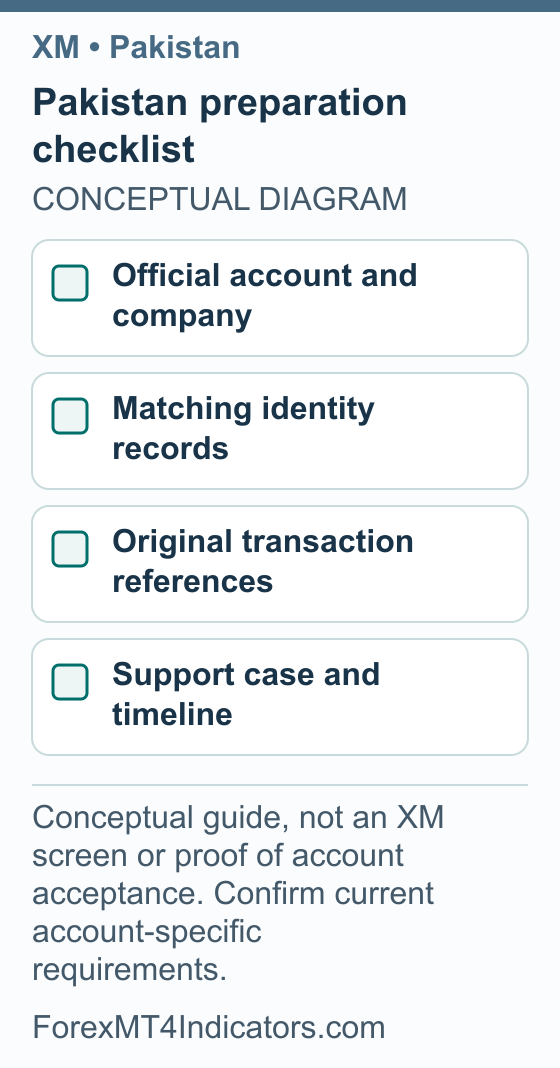
- Check the document requirement shown in the official application or current support request. Note the requested type and any expiry, age or file-format condition.
- Compare your full name, date of birth and address across the requested evidence. Explain legitimate differences instead of editing a document to make them disappear.
- Make a complete, readable image of the original. Open the file yourself to check glare, blurred numbers and missing edges.
- If you are asked for a tax identifier or source-of-funds evidence, read the purpose and answer truthfully from your records.
- Send documents only through the official secure channel, retain the case reference and distinguish uploaded from reviewed or approved.
This is a preparation method, not a claim that XM always accepts a CNIC, a particular Pakistani bank statement or a fixed document-age limit. Those details have not been established for an individual account here. Asking the correct question first can avoid several rounds of sending the wrong file.
A practical demo plan before any live-risk decision
A demo account is useful for learning the mechanics: finding a symbol, reading an order ticket, setting a planned stop and locating the trade history. Keep it a simulated exercise with virtual funds. It cannot demonstrate that a future live account will receive the same fills, that withdrawals work or that a strategy will be profitable.
Step 3: Make a demo exercise worth reviewing
- Use the official demo information and confirm that the selected account is labelled demo. See the XM demo guide for the separate process.
- Choose a virtual balance you can understand in PKR terms rather than accepting a huge figure without context.
- Write one test objective, such as checking how the order ticket expresses volume and the stop price.
- Record the symbol, entry idea, stop distance, intended risk and account currency before a simulated order.
- After the exercise, compare the result with the plan and note any platform mistake separately from a market loss.
For example, “I selected the wrong account” and “price reached my planned stop” require different fixes. The first is a process error; the second can occur even when an order follows the plan. Our trading-plan guide helps turn that distinction into a repeatable review.
Avoid copying another trader’s lot size because both screens display the same currency pair. The accounts may have different balances, contract specifications or intended stop distances. The amount at risk follows from those inputs, not from the trader’s country.
Translate a dollar risk example into PKR
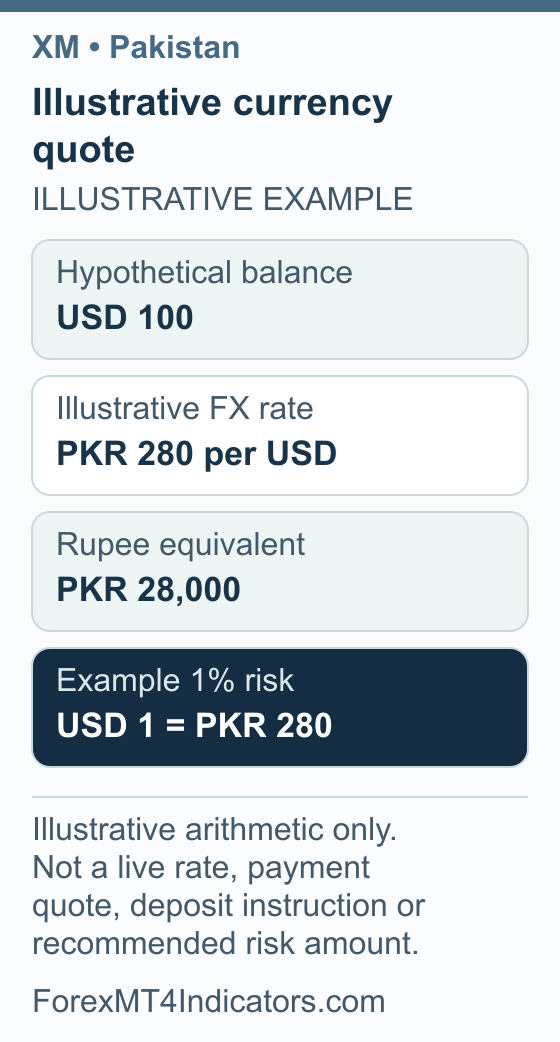
Suppose a hypothetical demo balance is USD 100 and you use an illustrative conversion rate of PKR 280 per USD. The balance corresponds to PKR 28,000. An example risk limit of 1% is USD 1, equivalent to PKR 280 at that assumed rate.
The calculations are 100 × 280 = 28,000, followed by 28,000 × 0.01 = 280. These round numbers explain units; they are not a current exchange rate, a recommended percentage or instructions to fund an offshore account. Fees, slippage and changes in the conversion rate are outside this simple example.
The lot-size calculator helps connect a cash-risk amount to a stop distance and position size. If the resulting size is below the minimum allowed by the demo account, document that constraint. Increasing risk to fit the minimum trade defeats the purpose of the exercise.
Set up MT4 or MT5 without confusing the accounts
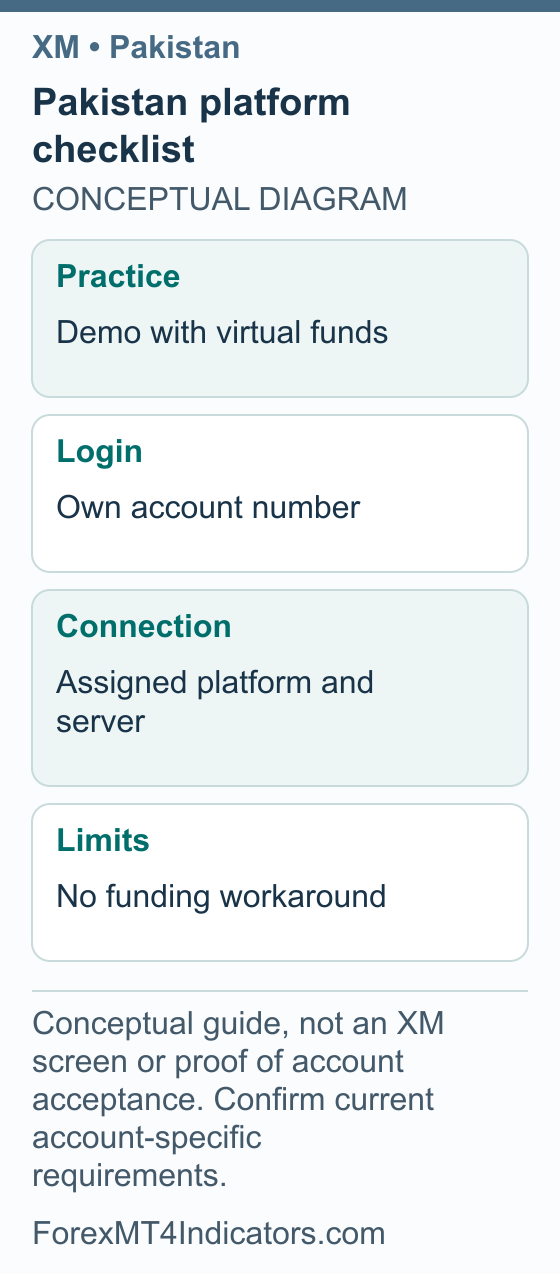
Keep a short private record with the platform, trading account number, assigned server and demo or real status. If you use more than one account, label each clearly. Do not put passwords into screenshots or a shared trading journal.
Step 4: Connect the intended account
- Open the assigned MT4 or MT5 application and its account-login option.
- Enter your own account number and trading password.
- Select the exact server provided for that account.
- Check the displayed account and demo status before continuing.
MetaQuotes’ MT4 documentation explains its authorization fields. Use our XM MT4 guide or XM MT5 guide for the appropriate platform; do not assume the credentials or server names are interchangeable.
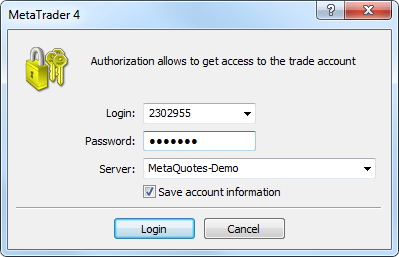
If login fails, record the exact message before changing settings. Check the server and account number first, then use official recovery if you are uncertain about the password. If charts display but trading is unavailable, establish the account’s access permissions and status with support instead of assuming a new deposit is needed.
XM bonus in Pakistan: assess the terms without making a funding assumption
Bonus review: 8 September 2026. A current XM bonus amount for Pakistani residents was not verified here. Calling an offer “no deposit” does not resolve the product and transaction restrictions in the SBP advisory discussed above. A broker’s acceptance of a profile or promotion is a separate question from whether the proposed activity is permitted.
Eligible deposit credit may provide additional trading margin, but it is not withdrawable cash or a payment into a Pakistani bank account. It also does not make a deposit route permissible. Changing an intermediary or payment description does not answer the underlying funding question.
If you are researching an offer or sorting out an existing account, use this document check before taking any action:
- Identify the issuer and product. Keep the full company name, official page and account agreement. A promotional name or local representative’s message is not enough.
- Ask for the matched conditions. Record residence eligibility, account type, whether a deposit is required, and the claim deadline. Do not reuse another country’s amount or terms.
- Resolve the local question separately. Obtain current guidance from an authorised institution or qualified local adviser on the actual service and proposed transaction. The bonus document cannot supply that permission.
- For existing credit, retain withdrawal evidence. Ask what would be removed if you request a withdrawal or transfer, and keep the answer alongside your account statement and transaction reference.
The XM bonus rules guide explains credit and cash as educational concepts. It does not establish a Pakistani offer or permission to fund it. The demo plan above lets you practise account calculations without assuming a promotional balance.
Funding questions and an existing withdrawal
This guide does not verify Pakistani bank transfers, JazzCash, Easypaisa, Raast, PKR base currency or a local XM collection service. A method appearing in an account would still need to be considered alongside the applicable local rules. Do not treat payment availability as a legal opinion.
If you already have funds with a provider, the useful next step is a clear record and an official explanation of how the existing balance can be handled. Get current local guidance where needed. Do not send additional money to an unofficial intermediary promising to unlock a withdrawal or disguise an outward transfer.
Step 5: Reconcile an existing transaction
- Gather the original payment reference, date, amount, currency and the account credited.
- Record the withdrawal request separately, including its amount, destination and reference.
- Check whether the account says pending, needs information, rejected or sent. Copy the exact wording.
- Ask official support to explain the next required step and the permitted route for the existing funds; ask your financial institution about its own requirements.
- If support says money was sent, request an appropriate trace or reference through the private official channel and compare it with the receiving institution’s record.
A processing period ends at a different point from actual receipt. Do not add a website estimate to a bank estimate unless you understand where each starts. The XM withdrawal guide and our broker withdrawal checklist explain how to keep those stages separate.
Step 6: Send a support question that can be answered
- State the contracting company and the problem in one sentence.
- Give the relevant case or transaction reference privately, with the date and currency.
- Describe what you expected and the exact status or error you received.
- Ask one concrete next-step question and retain the reply with the original record.
For example: “My existing withdrawal reference shows sent, but my institution has no matching receipt. Which transfer reference can it use to trace the payment?” That is more actionable than a series of messages saying only that the account does not work.
Frequently asked questions
Is XM legal for residents of Pakistan?
Do not infer permission from account access. SBP’s 18 May 2022 advisory addresses residents buying and remitting to offshore forex, margin and CFD platforms. It is a category-wide advisory rather than an XM-named decision. Obtain current local guidance for your circumstances before considering a transaction.
Does XM accept Pakistani clients?
This research did not independently establish a current named-country account assignment for an individual Pakistani applicant. A residence selector, accessible page or existing user report does not complete that verification. Confirm the actual company and requirements through official channels, with local transaction rules considered separately.
Can I use JazzCash, Easypaisa or a Pakistani bank?
No current account-specific support for these routes was verified for this guide. Even if a method is displayed, that does not settle whether the transaction is permitted. Do not use intermediaries or misleading payment descriptions to get around a restriction or an institution’s decision.
Can I learn MT4 on a demo account?
A demo account provides a simulated environment with virtual funds for learning the interface and keeping practice records. Confirm the account is demo before any exercise. Simulation does not test live execution, withdrawal access or permission to use a future real-money service.
Is there a PKR base-currency account?
That option has not been verified for an individual XM account. Check the offered currency codes rather than assuming a Pakistani residence creates a PKR balance. You can translate a hypothetical demo balance into rupees for planning without treating that arithmetic as a supported deposit route.
What should I do about an existing withdrawal problem?
Keep the original transaction and withdrawal references, dates, currencies and current status. Contact the official provider and receiving institution with those records, and seek current local guidance where relevant. Do not send extra money to an unofficial agent claiming it is needed to release the balance.
Forex and CFD trading carries a high level of risk and may not be suitable for all traders. This guide is educational. Past performance does not guarantee future results. Always test on a demo account before risking real capital.
Sources and review scope
Sources checked on 7 September 2026 unless another date is shown. Instructions based on public documentation are distinguished from personal account tests.
- MetaQuotes MT4 account authorization. Checked 2026-09-07.
- SBP advisory on illegal offshore forex trading platforms,18May2022. Checked 2026-09-07.
- XM legal documents. Checked 2026-09-07.
- XM public deposit-bonus explanation: Current public XM Global deposit-credit explanation; region-dependent availability/percentage, nonwithdrawable credit. A 100% illustration does not identify a universally available 100% promotion. Bonus-section source checked 2026-09-08.
- XM account-applicable legal documents: Account-applicable documents are identified during registration. Bonus-section source checked 2026-09-08.