

A search for an XM review can produce a list of account features, a Portuguese landing page and several different company names. Those results are useful only when you know which service they describe. For a Brazilian reader, there is also a current regulator notice that belongs near the start of the decision.
The sources below were checked on 7 September 2026. We did not open a Brazilian account, test a deposit or verify a withdrawal. For wider comparisons, use the XM country hub and the main XM review.
What the CVM notice says about XM
On 11 February 2026, the CVM published a notice about Trading Point Group. It names XM International MU Limited, XM (SC) Limited, XM Global Limited and Trading Point of Financial Instruments Limited. The notice says the companies were not authorised by the CVM for securities intermediation and describes an order to suspend public offers of those services, including through websites and applications.
This is a specific Brazilian regulatory finding. An overseas licence does not replace Brazilian authorisation for the activity described. The notice is not, by itself, a ruling that every individual account holder has committed an offence, nor is it a court finding of fraud.
Read the notice before considering a service and obtain qualified local guidance for an individual legal or tax question. Existing account holders can still use the practical record and support checks below. A need for better information does not disappear because a regulator has issued a warning.
Step 1: Identify the company and the applicable service
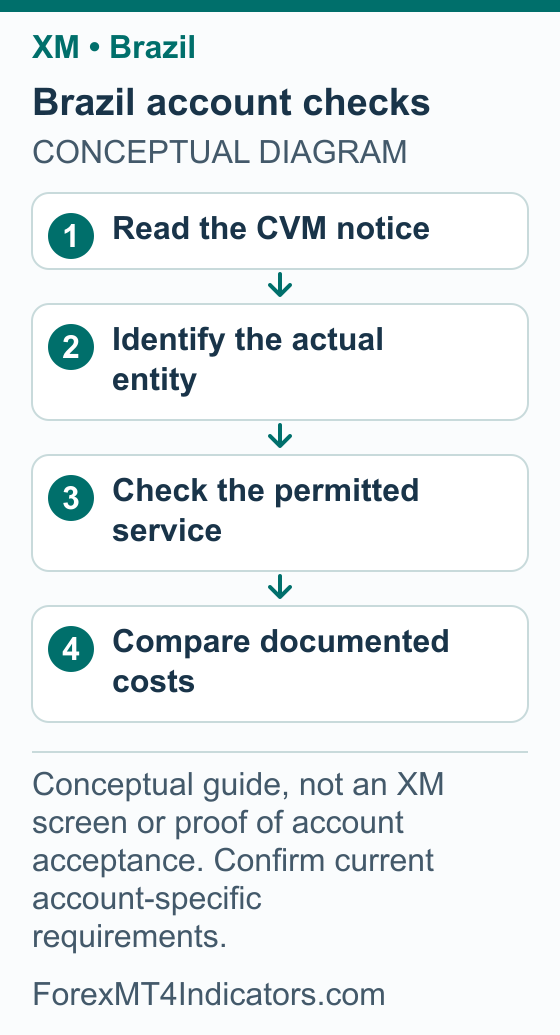
- Read the company name in the agreement relevant to your application or existing account.
- Compare that name with any account correspondence and the current provider website.
- Read the CVM notice against the exact company and service being discussed, rather than treating “regulated” as a single worldwide status.
- Ask official support to explain any mismatch between the website company and your account agreement.
- Retain the dated documents and obtain local guidance before making a new transaction where its permitted status is unclear.
Our broker-selection guide provides a practical framework for assessing legal identity, trading terms, withdrawals and support together. None of those checks can be replaced by an award badge or an affiliate review score.
The Portuguese XM website is not a Brazil account assignment
XM has an official Portuguese website. The direct view retrieved for this guide identified Trading Point of Financial Instruments Limited in Cyprus and described services for residents of the European Economic Area. That is why this page does not label a Portuguese account table as “the accounts available in Brazil.”
The language of an interface and the residence served by its company are different settings. A translated page may help you understand terminology without establishing the service you can use. The current agreement and official account-specific response are the useful evidence for your case.
| Portuguese term you may encounter | What to establish in practice |
|---|---|
| Conta real | Whether this is an approved live trading account and which company holds it |
| Conta demo | Whether the balance and trades are simulated |
| Depósito | The permitted funding route, currency, limits and total debit |
| Saque or levantamento | The withdrawal route, status and actual destination receipt |
| Moeda da conta | The currency used for the trading account’s balance and reporting |
These are reading aids, not guaranteed current button labels. Do not choose a different residence to obtain the screen shown in another person’s tutorial. If the official interface does not match a guide, work from your own account’s instructions.
Compare account costs before the minimum deposit
This guide does not assign one global account menu, minimum deposit or leverage limit to a Brazilian resident. Use the options and contract terms actually applicable to the account. The XM account-type comparison explains the categories of cost to examine, and the minimum-deposit guide distinguishes account thresholds from payment-method limits.
For a useful comparison, choose the instrument and trade size first. Record its spread, any commission, contract size, overnight charge and margin requirement. An account that looks cheaper on one headline number can cost more for a position held overnight or for another instrument.
Promotional credit requires its own reading. Establish whether it can be withdrawn, whether conditions apply and how it affects equity when removed. It should not be used as the foundation of a cash-risk plan. The XM bonus guide explains how to read terms without assuming an offer applies to every residence.
Step 2: Prepare a document set that tells one consistent story
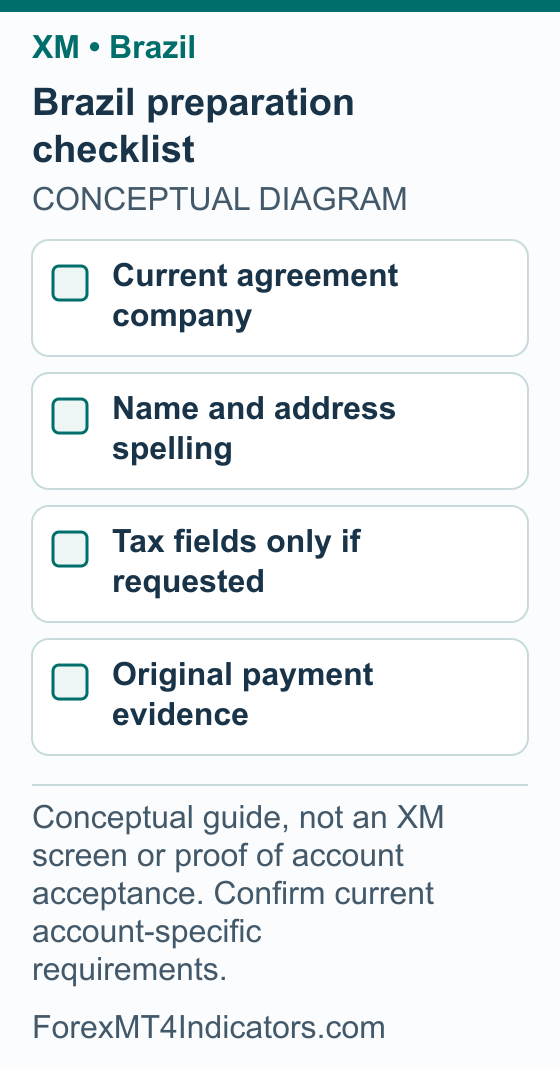
- Read the requirement in the official application or support request before collecting files.
- Compare the full name, address and date of birth with the documents you intend to provide.
- Check whether the request calls for an identity document, address evidence, tax information or an explanation of funds. Those are different purposes.
- If a CPF or another tax field is requested, enter the accurate information required for your circumstances; do not assume a field or document is universally mandatory from this guide.
- Check document dates, image clarity, full edges and requested file format before using the official secure upload channel.
- Save the submission status and respond to any specific follow-up instead of sending unrelated documents repeatedly.
This is a preparation checklist, not an accepted-document list for Brazil. We have not verified that a particular RG, CNH, CPF record or bank statement is sufficient for every XM company. Ask how to handle a genuine mismatch or changed address before altering profile details.
BRL costs: compare the conversion rate and fees together
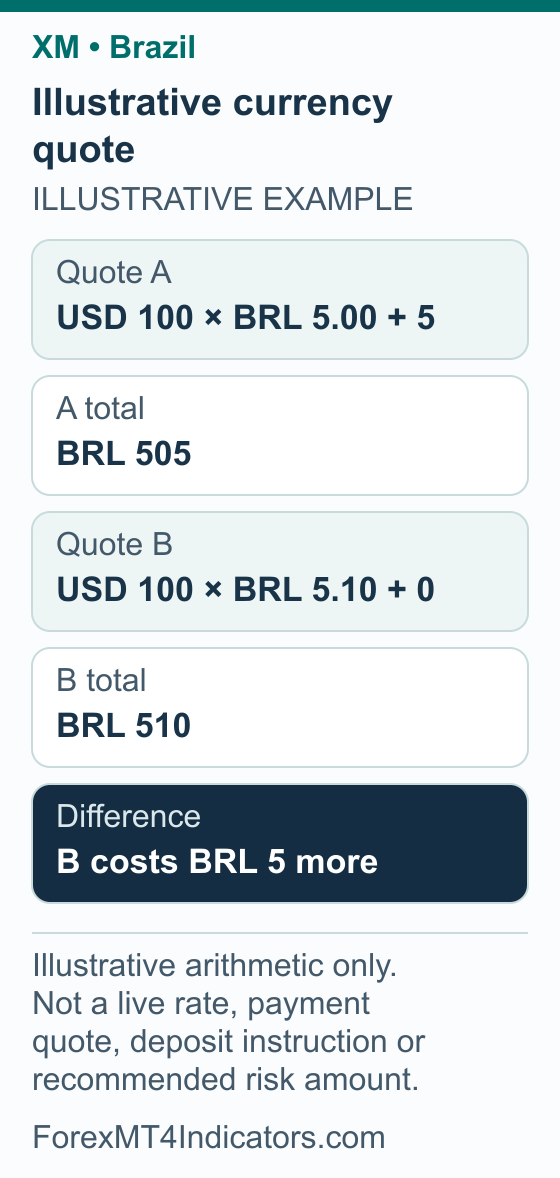
A “zero fee” label can be incomplete if the conversion rate differs. Compare the total reais paid for the same final amount in the same account currency. Keep any taxes or other separately quoted charges visible instead of assuming they are included.
Consider two invented quotes for USD 100, used only to explain arithmetic:
| Hypothetical quote | Calculation | Total BRL cost |
|---|---|---|
| A | USD 100 × BRL 5.00 per USD, plus BRL 5 | BRL 505 |
| B | USD 100 × BRL 5.10 per USD, plus BRL 0 | BRL 510 |
Quote B has no separate fee in this example but costs BRL 5 more. Neither quote is an XM price, a live exchange rate or a supported payment route. The example also excludes any taxes or costs not explicitly listed; a real comparison must include the charges applicable to that transaction.
The currency converter is useful for checking units. It is not a replacement for the quote from the provider handling a permitted transaction. Keep BRL spending, account credit, trading profit or loss and withdrawal receipt as separate entries in your records.
Step 3: Review a payment proposal without assuming PIX support
- Establish whether the transaction and service are permitted for you before considering the payment mechanics.
- Identify the method in the official account and the legal provider handling the transfer.
- Record the BRL debit, destination-account currency and credit, conversion rate and all stated charges.
- Check who must own the sending account, the method’s limits and how a return would be handled.
- Ask official support to clarify any unexplained beneficiary or payment instructions. Do not proceed on the word of an unofficial contact.
This guide has not verified PIX, boleto, local bank support or a BRL account base currency for an individual Brazilian XM account. Even a familiar payment method would not establish CVM authorisation. A QR code received in a social message is also not proof that the recipient represents XM.
Connect MT4 or MT5 and check the account before an order
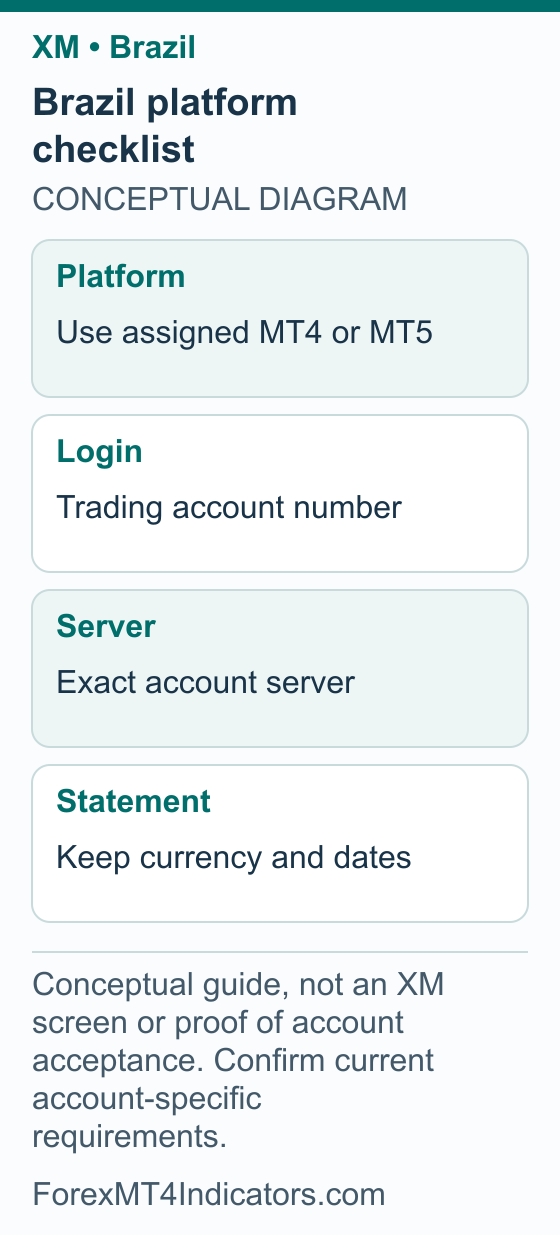
An account profile can contain information for more than one trading account. Keep each account’s platform, number, server and currency together, especially if you switch between a phone and a computer. A successful website sign-in does not mean every trading-account connection is configured correctly.
Step 4: Connect the assigned platform account
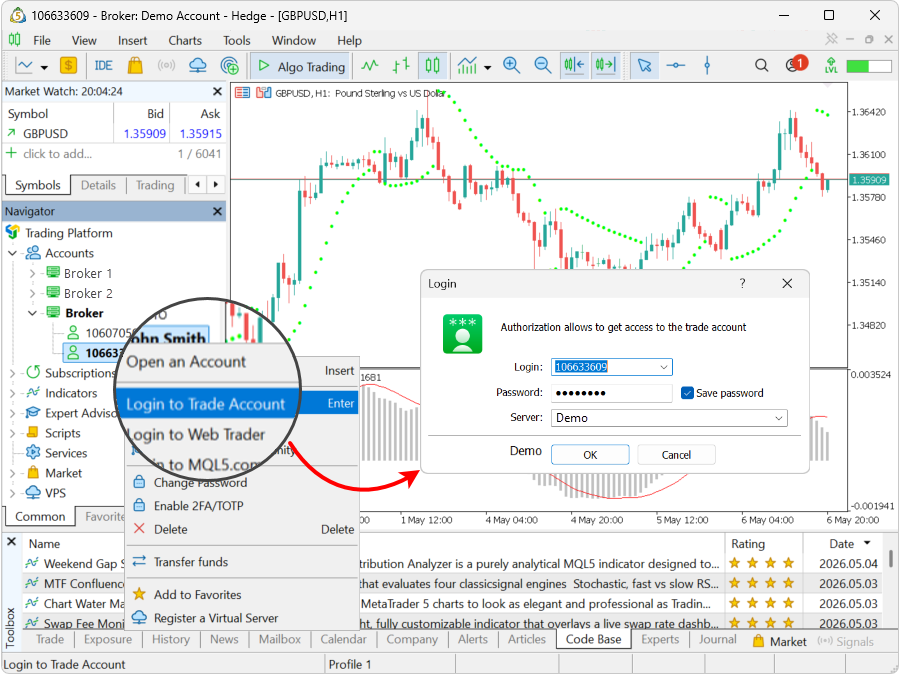
- Open the correct MT4 or MT5 application and select its trading-account login.
- Enter the account number and password assigned to that account.
- Select its exact server.
- Confirm the account identity and demo or real status on screen.
The fields are described in MetaQuotes’ MT5 connection documentation. Our XM MT5 guide and XM MT4 guide cover the wider setup. If you are learning, use the demo-account guide to keep practice separate from live risk.
Step 5: Check a demo order before testing it
- Confirm you are in the intended demo account and read the balance currency.
- Select the exact symbol and inspect its contract size and permitted volume increment.
- Write the proposed entry, stop and cash risk before choosing the volume.
- Check the required margin separately from the possible loss at the planned stop.
- Review the simulated result and record any selection or typing error before repeating the exercise.
Our margin calculator helps explain the collateral side. Margin is not a maximum-loss promise. A stop instruction, market movement and execution conditions affect the outcome of a trade, while a demo cannot establish future live results.
XM bonus in Brazil: match the promotion to the company and BRL cost
Bonus review: 8 September 2026. This review did not verify a current XM bonus amount for Brazilian residents. XM’s public deposit-bonus explanation describes region-dependent trading credit. A Portuguese page alone does not establish a Brazilian offer, a particular account company or authorization for the activity addressed by the CVM notice above.
The possible benefit of eligible credit is extra margin for trading. It is not reais available to withdraw and does not cancel a currency-conversion cost. A bonus percentage is therefore only one term in the comparison, alongside the company, account costs and local requirements.
- Keep the offer’s identity. Save the official page, date and legal issuer. Compare the issuer with your account agreement and with the exact entities discussed in the local notice.
- Check who and what qualify. Ask whether the promotion applies to your residence and intended account. Establish whether it is a deposit offer, no-deposit credit or a different reward before comparing amounts.
- Compare BRL payment and account credit. Write down the total reais debit, the rate used and the net account-currency amount. Ask which deposit figure qualifies; a translated dollar cap is not a fixed BRL benefit.
- Read the withdrawal effect. For an existing account, check whether a withdrawal, internal transfer or account change would remove credit and affect available margin.
The XM bonus and credit-removal guide provides the general explanation. Its numerical examples do not establish an offer for Brazil. Resolve the CVM and account-company questions before treating an incentive as a reason to make a new transaction.
Withdrawals, statements and a useful support trail
A Brazilian reader handling an existing account needs transaction evidence that reconciles across currencies. Keep original deposits, trading history, fees, withdrawals and destination receipts. Those records also make a later conversation with a qualified tax adviser more useful; this guide does not assign a tax rate or declare a reporting exemption.
Step 6: Trace an existing withdrawal
- Record the request reference, amount, currency, destination and submission time.
- Check the provider’s current status and any request for additional evidence.
- Keep approval, sending and receiving dates separate. Ask which stage an estimate actually describes.
- If the request shows sent but nothing has arrived, ask official support for the appropriate trace information and compare it with the receiving institution.
- Once received, reconcile the final BRL amount, conversion rate and separately disclosed charges without treating trading profit as the same item as a transfer.
Use the XM withdrawal guide for the process and our broker withdrawal checklist for organising a specific case. Contact the provider through its official account or support route, and keep sensitive account data out of public reviews or comment threads.
Frequently asked questions
Is XM authorised by the CVM in Brazil?
The CVM’s 11 February 2026 notice names four Trading Point Group companies associated with XM and says they were not authorised for the securities-intermediation activity described. It also reports a suspension order for public offers. An overseas licence does not replace that Brazilian authorisation.
Does the Portuguese XM site serve Brazilian residents?
Portuguese language alone cannot establish that. The direct Portuguese view retrieved for this guide identified a Cyprus company serving EEA residents. Check the actual company and terms for your circumstances through official channels, while considering the Brazilian regulatory notice separately.
Does XM accept PIX or boleto?
This guide has not verified either method for a particular Brazilian XM account. Look at the official account’s current options and requirements if handling an existing account, and establish the permitted status of the transaction. A payment method does not establish local broker authorisation.
Can I choose BRL as my account currency?
That option has not been independently established for an individual account here. A transfer charged in reais can still credit an account in another currency. Check the account currency and the total BRL debit separately, including the quoted conversion and any additional charges.
Is a zero-fee transfer always cheaper?
No. Compare the final cost for the same credited amount. Our hypothetical example costs BRL 505 with a separate BRL 5 fee, versus BRL 510 at a worse conversion rate with no separate fee. Real quotes may also include other charges or taxes.
What records should I keep for a withdrawal?
Keep the original funding evidence, withdrawal reference, amount and currency, provider status and receiving-account statement. Record approval, sending and receipt as separate stages. These details help official support trace a payment and give a qualified adviser a clearer picture of your transactions.
Forex and CFD trading carries a high level of risk and may not be suitable for all traders. This guide is educational. Past performance does not guarantee future results. Always test on a demo account before risking real capital.
Sources and review scope
Sources checked on 7 September 2026 unless another date is shown. Instructions based on public documentation are distinguished from personal account tests.
- CVM notice about Trading Point Group,11February2026. Checked 2026-09-07.
- MetaQuotes MT5 account connection. Checked 2026-09-07.
- XM official Portuguese website. Checked 2026-09-07.
- XM public deposit-bonus explanation: Current public XM Global deposit-credit explanation; region-dependent availability/percentage, nonwithdrawable credit. A 100% illustration does not identify a universally available 100% promotion. Bonus-section source checked 2026-09-08.
- XM account-applicable legal documents: Account-applicable documents are identified during registration. Bonus-section source checked 2026-09-08.