

For a trader working in Thai and English, small differences can create avoidable confusion: a name transliteration, a document date or an account balance shown in dollars. The answer is a clear record of what each field means, with the current account instructions beside it.
The public information below was checked on 7 September 2026. It is not a report of a tested Thai account or payment. Use the XM country hub to find other residence guides and the main XM review for general platform and cost questions.
Start with the local context and the actual company
The Bank of Thailand’s 19 September 2022 clarification discusses online forex investment and speculation. It says foreign-exchange transactions must use authorised businesses and addresses unlicensed forex businesses, related remittance services and public solicitation. It is a dated general clarification, not an XM-specific decision.
There is also an SEC investor-alert entry naming XM Global Limited and its Thai website. The retrieved entry’s category is unlicensed digital asset business. That precise category matters: it should not be silently expanded into a ruling about every forex product.
Neither a foreign licence nor access to an app establishes Thai authorisation or permission for a proposed transaction. Check the applicable local requirements before considering real-money activity, and seek qualified local guidance if your circumstances are unclear. The practical record and demo checks below remain useful without treating a website visit as regulatory approval.
Step 1: Check which company and account you are discussing
- Open the official website and read the legal company name shown for the service.
- Compare it with the agreement applicable to your application or existing account.
- Record the company, regulator and agreement date separately from the page language.
- Ask official support to explain a conflicting company name or a change of entity before accepting new terms.
- Keep the reply and consider the local rules for the activity, payment and service involved.
The official Thai XM page retrieved for this guide identified Trading Point of Financial Instruments Limited in Cyprus and described EEA residents. Thai text therefore did not establish a Thai resident’s assigned company. We have not independently verified a current individual Thailand-to-company assignment.
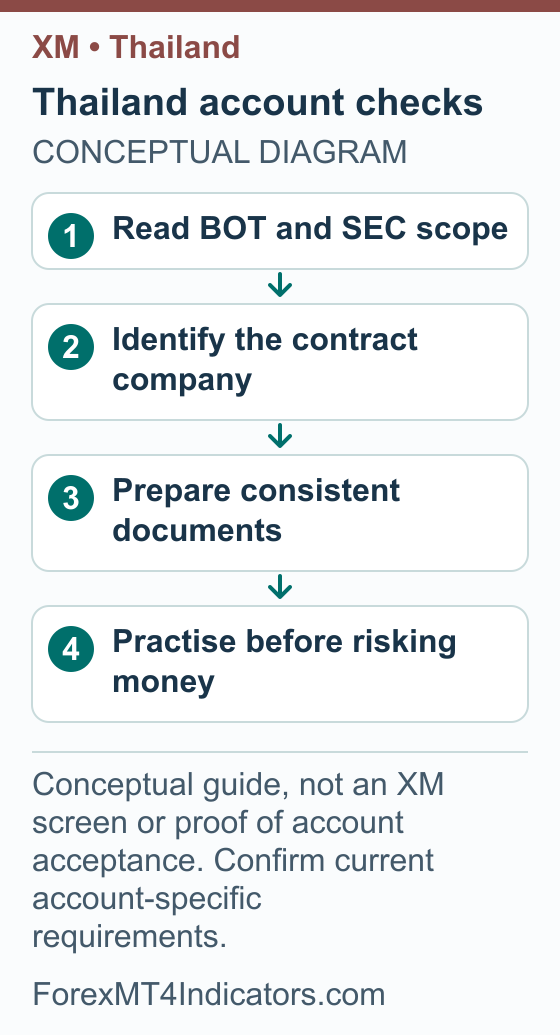
Our broker-selection guide helps you compare legal identity and service terms with costs and support. Make the same checks even if somebody you know already uses an account carrying the same brand.
Choose an account by its actual trading conditions
Do not treat a translated account page as a guaranteed menu for Thai residents. Read the terms attached to your own account, then compare the instruments and holding period you intend to study. The XM account-type guide explains the questions to ask across different account names.
| Item to compare | Practical question |
|---|---|
| Account currency | Is the balance in USD, another currency or a different stated unit? |
| Smallest volume | Can the account express the size calculated from your planned risk? |
| Contract specification | What does one lot mean for this particular symbol? |
| Trading costs | What spread, commission and overnight charge apply to the intended position? |
| Margin and stop-out | What collateral is required, and when can positions be closed? |
The minimum deposit is a separate question. The XM deposit-minimum guide explains why an advertised account threshold can differ from a payment method’s limit. This Thailand guide does not assign a universal current minimum, THB base currency or leverage limit to an unverified account company.
An optional promotion should be assessed after the trading terms. Establish whether a credit is withdrawable, what conditions apply and how removing it affects the account. Do not size a position on the assumption that promotional credit is permanent cash.
Step 2: Prepare Thai and English details consistently
- Read the exact document requirement in your official application or support request, including any date, age and file-format conditions.
- Compare the Thai name and any Latin-script spelling across the records requested. Use the form’s instructions rather than inventing a new transliteration to make a field fit.
- Check which date format the form expects. If the document and form use different calendar conventions, ask how to enter the date accurately.
- Use the current residential address and check how any translated address should be recorded.
- Prepare a clear image showing the complete original document. Check names, dates and document edges at normal viewing size.
- Submit through the official secure channel and keep the resulting status. If a translation or additional evidence is requested, clarify the accepted format first.
We have not verified that every account accepts a Thai national identity card, a particular bank statement or a specific translation format. The checklist helps prepare information; it does not replace the company’s current requirement. A readable original and a precise question are more useful than several inconsistent edited files.
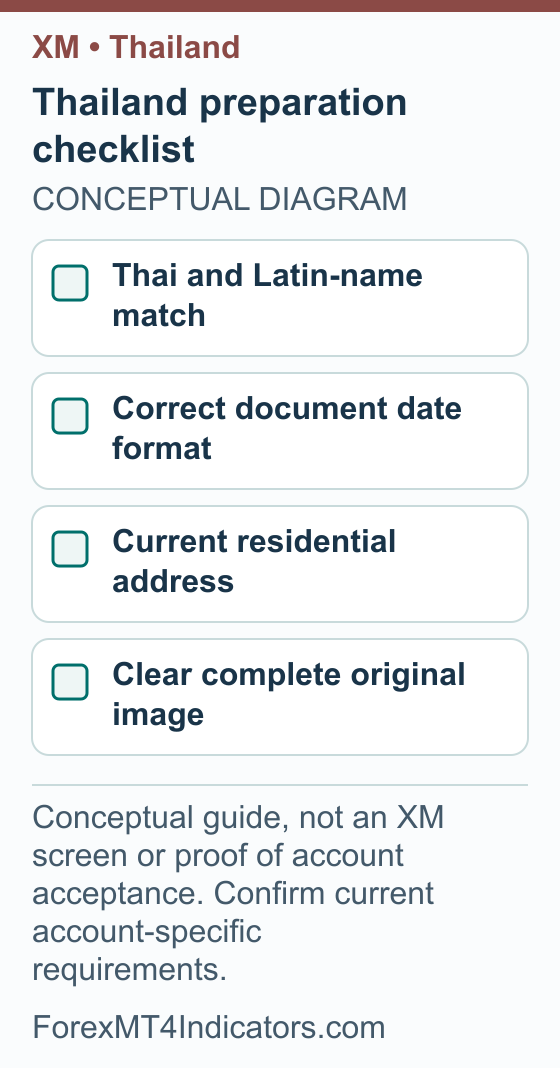
Keep identity files private. If someone asks for your password or a one-time code while offering document help, stop and use the official support route instead. A support discussion can establish what is missing without exposing account access to a stranger.
Put a THB value beside a demo risk amount
A dollar balance can feel abstract when your spending and savings are in baht. Translate the units on paper before testing position sizes. A deposit quoted in THB, an account base currency and the currency pair displayed on a chart are three different things.
Here is an illustrative demo calculation. Suppose you use a budget reference of THB 17,500 and an invented rate of THB 35 per USD. The equivalent is USD 500, because 17,500 ÷ 35 = 500. An example 1% risk limit would be USD 5, equivalent to THB 175 at that assumed rate.
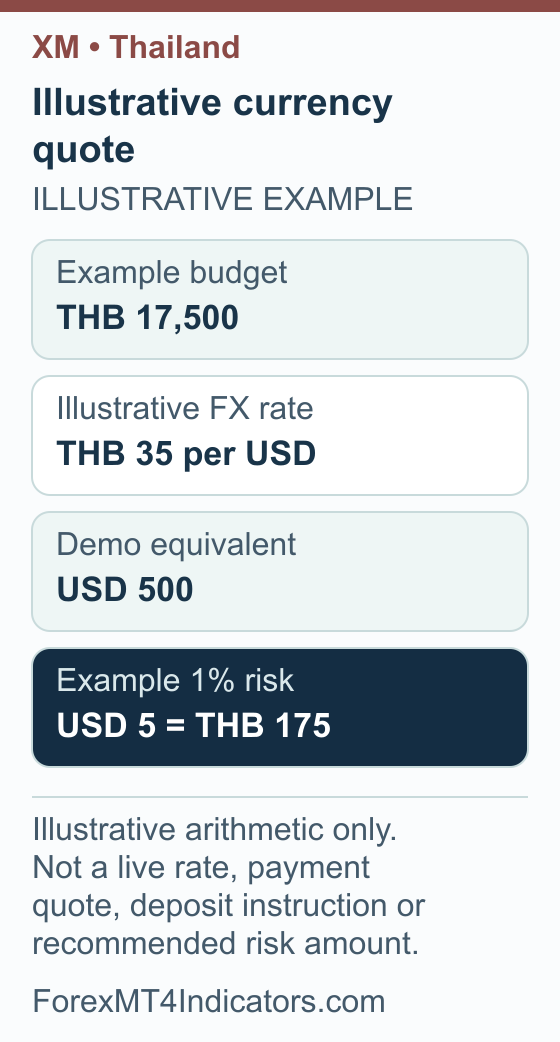
Use the currency converter to check the conversion concept and the lot-size calculator for a separate position-size calculation. Do not substitute the conversion rate in this example for a real provider quote.
Step 3: Check whether the planned trade fits the account
- Write the account balance and its actual currency code.
- Choose an illustrative cash-risk limit for the demo exercise and record it in both account currency and THB.
- Identify the symbol’s contract size, minimum trade and volume increment.
- Calculate the size for the planned stop distance, then compare it with those limits.
- If the minimum trade exceeds the intended risk, record the mismatch and change the exercise rather than quietly increasing the risk.
A margin figure is not the same as the possible loss. A small required deposit of collateral can support exposure much larger than the cash committed. Keep that separate from the amount you intend to lose if a planned stop is reached, and remember actual execution may differ.
Payment questions: THB does not establish a local route
This guide has not verified Thai bank support, PromptPay, Thai QR payments or THB as an account base currency for an individual account. Those are questions for the current company and account instructions. The presence of a familiar logo would not settle the local permission question either.
If you are handling an existing account, establish the permitted transaction and ownership requirements before using a payment method. Do not send funds to a private account or scan a code provided by an unofficial “XM administrator.” Get any change of beneficiary independently confirmed through the official account.
Step 4: Read a quote or existing payment record properly
- Confirm the service and transaction are permitted for your circumstances and supported by the account company.
- Record the amount debited in THB and the exact currency and amount credited to the trading account.
- Separate the conversion rate from provider charges and any other stated costs.
- Read the method’s ownership rules and limits rather than assuming an account-page minimum applies to it.
- Establish the withdrawal or return route, including what evidence is needed if the original method changes.
For a fair cost comparison, keep the final credited amount constant. A lower separate fee can be outweighed by a worse exchange rate. Preserve the original quote so a later balance difference can be reconciled, instead of relying on a remembered rounded figure.
Connect MT5 or MT4 using the account’s own server
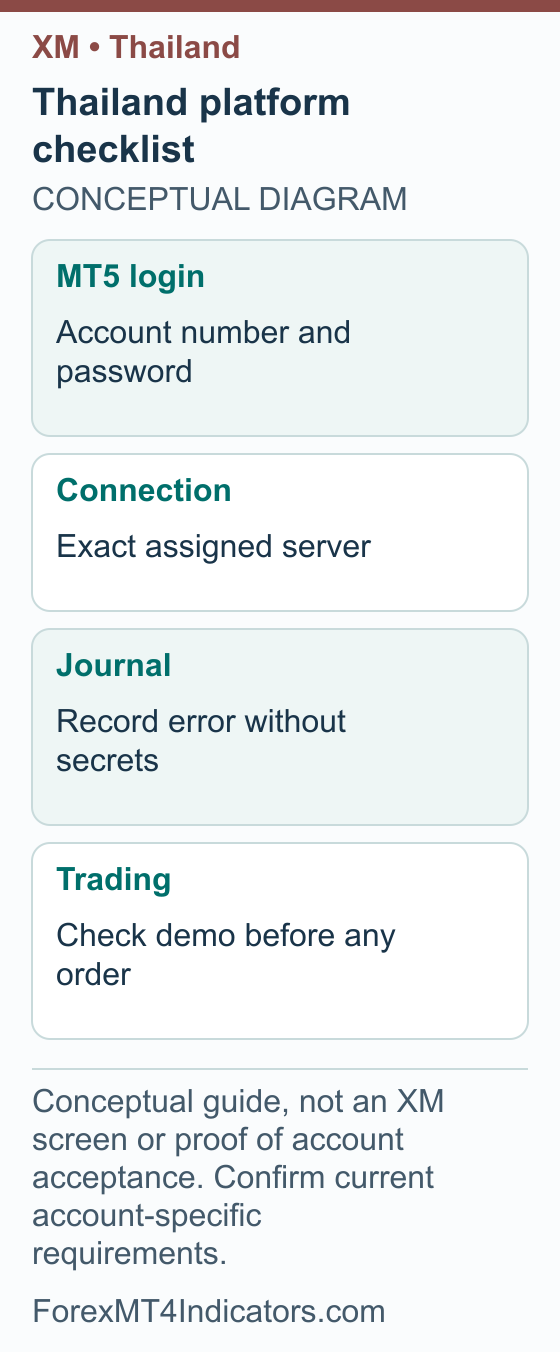
Use the platform assigned to the particular trading account. A saved profile login, a trading account number and an investor-view credential are not interchangeable pieces of information. Keep a private note of the server and account type, without including passwords in screenshots.
Step 5: Make the intended platform connection
- Open the assigned platform and its trading-account login option.
- Enter your own trading account number and password.
- Select the exact assigned server.
- Check the account identity and demo or real status before continuing.
These connection fields are documented in MetaQuotes’ MT5 guide. Use our XM MT5 setup or XM MT4 setup guide for the corresponding platform. The XM demo guide keeps the first practice session focused on learning the interface.
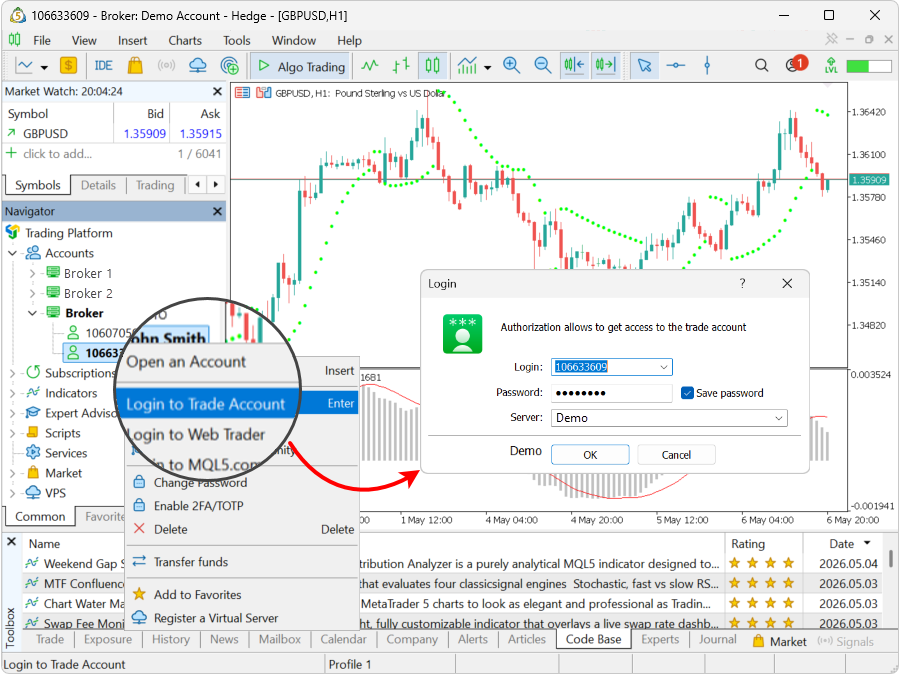
If you see a connection error, record the wording and time before making changes. Recheck the platform and server, then use official password recovery if necessary. Send support a private description of the error and application version; avoid a public screenshot containing account numbers or personal information.
XM bonus in Thailand: separate the older $50 programme from today
Bonus review: 8 September 2026. XM published a Thailand $50 no-deposit document for a limited programme beginning on 1 December 2022. We have not verified that the programme continues today. Its presence online explains an older claim; it does not confirm that your account can now receive $50.
For an eligible deposit offer, the useful benefit is additional trading margin. That credit is not withdrawable cash or a THB payment to your bank. Keep this distinction separate from both the Thai-language website and the local product and remittance checks described earlier.
- Match the company and date. Find the issuer, promotion period and actual account agreement. A Thai page can show a different regional service, so language alone is not the eligibility test.
- Find today’s account conditions. Ask which account qualifies, whether a deposit is needed and whether the allowance appears for your own circumstances. Do not use the 2022 document as evidence of a fresh claim deadline.
- Keep Thai baht and credit units separate. Record the payment currency, conversion and net deposit amount. Ask which amount the promotion uses and whether any qualifying method is actually available to you.
- Read what a withdrawal changes. Check the credit-removal and transfer rules before relying on the allowance, particularly where positions remain open.
Use the XM bonus eligibility and withdrawal guide for the mechanics, then return to the terms matched to your account. A different country’s bonus figure is not a substitute for a verified Thailand offer.
Withdrawals and support: record the stage that is delayed
Withdrawal questions become easier when you distinguish submission, review, sending and actual receipt. A request can leave one stage without reaching the final destination. Ask what a quoted processing period measures and which institution is handling the next stage.
Step 6: Prepare a withdrawal case
- Collect the original funding reference and the withdrawal request’s separate reference, date, amount and currency.
- Copy the current status and identify any outstanding request for documents or clarification.
- Record the proposed receiving method and confirm whose name it is in.
- Ask official support for the next step or transfer-tracing information appropriate to the status.
- Keep replies in sequence and reconcile the final receipt, conversion and fees when available.
Do not send more money to an unofficial contact who promises to release a delayed balance. Use the XM withdrawal guide for the general stages and our broker-withdrawal checklist for the evidence to organise. A clear case reference is more useful than repeatedly opening new conversations without the earlier details.
Frequently asked questions
Is XM regulated in Thailand?
A Thai-language website is not evidence of Thai authorisation. This guide distinguishes the Bank of Thailand’s general forex clarification from the SEC entry naming XM Global Limited under unlicensed digital asset business. Check the actual service, account company and applicable local requirements rather than merging those different findings.
Does XM’s Thai website prove I can open an account?
No. The Thai-language view retrieved for this guide identified a Cyprus company serving EEA residents. Language, individual account acceptance and the permitted service are separate questions. Confirm the current company and requirements through official channels without selecting a false residence to obtain another region’s terms.
Can I deposit using PromptPay or Thai QR?
No current account-specific support for those methods was established here. Check the official account’s available methods and the local rules for the proposed transaction. An unofficial QR code, a familiar payment logo or a social-media message does not establish a legitimate broker payment destination.
Which Thai documents does XM accept?
Follow the document types and conditions requested for your application or existing account. This guide does not guarantee acceptance of a particular Thai ID, statement or translation. Check names, date format, current address and image clarity, then ask support how to resolve legitimate differences.
Can I use THB as my trading-account currency?
That option has not been verified for an individual account. Read the offered currency codes and the balance unit before selecting or using an account. A transfer paid in baht can credit a different currency, which creates a separate conversion cost to understand.
Why is my MT5 account not connecting?
Check that the application, account number and exact assigned server belong together. Read the error before resetting passwords or changing settings. If the issue remains, use official recovery or support and keep account details private; never copy the example credentials shown in a tutorial image.
Forex and CFD trading carries a high level of risk and may not be suitable for all traders. This guide is educational. Past performance does not guarantee future results. Always test on a demo account before risking real capital.
Sources and review scope
Sources checked on 7 September 2026 unless another date is shown. Instructions based on public documentation are distinguished from personal account tests.
- Thai SEC investor alert: XM Global Limited. Checked 2026-09-07.
- Bank of Thailand clarification on online forex trading,19September2022. Checked 2026-09-07.
- MetaQuotes MT5 account connection. Checked 2026-09-07.
- XM official Thai website. Checked 2026-09-07.
- XM public deposit-bonus explanation: Current public XM Global deposit-credit explanation; region-dependent availability/percentage, nonwithdrawable credit. A 100% illustration does not identify a universally available 100% promotion. Bonus-section source checked 2026-09-08.
- XM Global Thailand no-deposit terms, December 2022: Thailand USD50 document specifies a limited programme beginning 1 December2022. Continued applicability was not verified. Bonus-section source checked 2026-09-08.