

XM’s Learning Center links to learning resources, webinars and live education. Choose a session by your current knowledge gap, language and available time, then verify its schedule and access requirements. Use the lesson to build a small demo exercise; watching market commentary does not establish a profitable trading method or readiness to risk real money.
Choose one learning problem before browsing the schedule
A large education library can create the impression of progress while leaving a basic question unresolved. Begin with something specific: identifying a stop order, reading a symbol specification, understanding a moving average or calculating the money at risk. Choose the session that answers that question.
The XM Learning Center presents several learning routes, including webinars and live education. The checked Global page lists subjects such as indicators, fundamentals and market sessions. Availability, language and access can vary, so use the current listing rather than a timetable copied into an old article.
XM instructors provide the broker’s education; Tim Morris is the editorial voice of this guide, not the presenter of those sessions. We have not tested every class or independently established their effect on trading outcomes.
Match the format to the job
| Format to investigate | Useful when | What to check |
|---|---|---|
| Structured learning material | You need a concept explained in sequence | Prerequisites, level and lesson order |
| Topic webinar | You want a focused lesson with questions | Language, presenter, date and registration |
| Live education room | You want to observe a current analytical discussion | Timezone, topic and public versus account access |
| Recording, where offered | You need to pause, review or watch later | Availability, publication date and continued relevance |
A live market discussion can be harder to follow if you do not yet understand the order types being mentioned. Conversely, repeatedly watching beginner introductions may not solve a specific platform problem. Pick the format that addresses the gap rather than the session with the most exciting title.
For terminal connection, the XM MT4 guide and XM MT5 guide may resolve the task more directly than a broad market class. Education works best when the next action is clear.
Read the session description before registering
Look for the subject, intended level, language, presenter and expected duration. Check whether the title describes a lesson or a current market outlook. The latter may become dated quickly and should not be treated as an evergreen explanation of a trading rule.
Identify any prerequisites. If a session assumes familiarity with margin, read the XM leverage guide first. If it uses terms such as swap or round-trip commission, the XM fees guide provides the cost context.
Write one question you want answered. For example: “How do I distinguish an alert from a protective order?” A focused question gives you a way to judge whether the session was useful, instead of equating time watched with knowledge gained.
Convert the schedule into your own timezone
A webinar time is incomplete without the timezone and date. Check whether the listing uses a named timezone, a UTC offset or your browser’s local time. Do not assume that a platform server clock and an education calendar share the same convention.
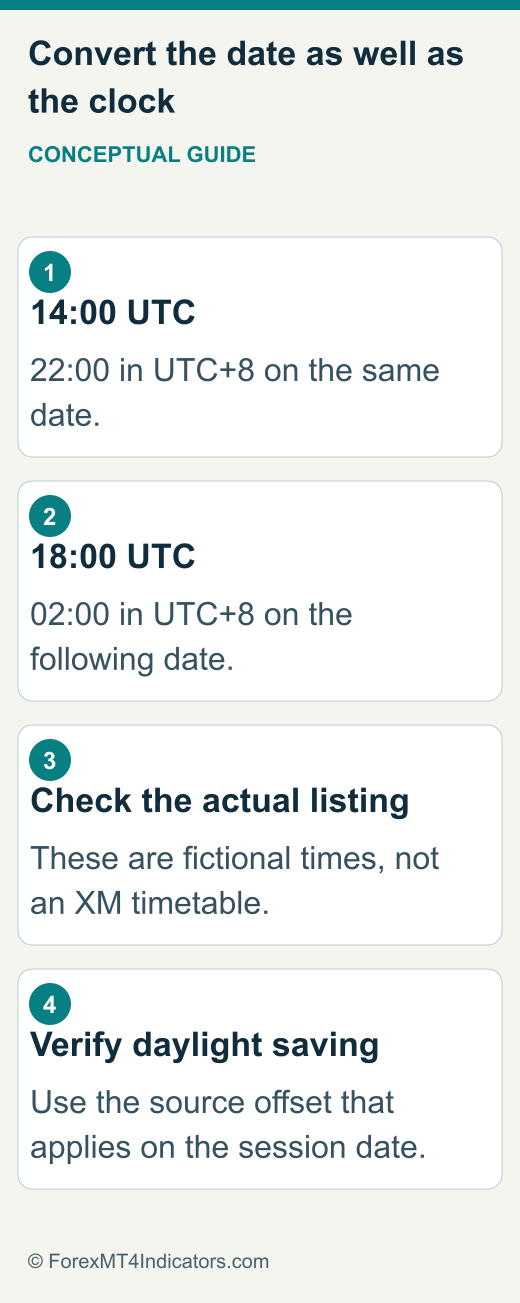
For a fictional session at 14:00 UTC, a UTC+8 reader would attend at 22:00 on the same day. A fictional 18:00 UTC session would occur at 02:00 the following day. These are conversion examples, not current XM webinar times.
When a named timezone observes daylight saving, verify its offset for the actual session date. Save the date and timezone shown in the confirmation, not just a recurring clock time. If you plan to watch a replay, check whether one is offered before relying on that option.
Use official registration and access routes
Start from the official Learning Center or XM Live Education page. The checked live page includes a public viewing route and an invitation to access more through an account. That distinction does not prove every session is open publicly or that all account holders receive every recording.
- Open the session from the official education route and confirm its current details.
- Read whether registration or account access is required for that particular session.
- Review the requested information and any communication preferences before submitting a registration you choose to make.
- Save the access instructions and check the event timezone against your calendar.
- Before the start, verify that the supported browser or app can open the session.
If login fails, use the XM access guide. Do not create another account simply to work around an unexplained access problem. Ask support whether the session requires a specific account condition or a separate webinar registration.
Turn one lesson into a small practice exercise
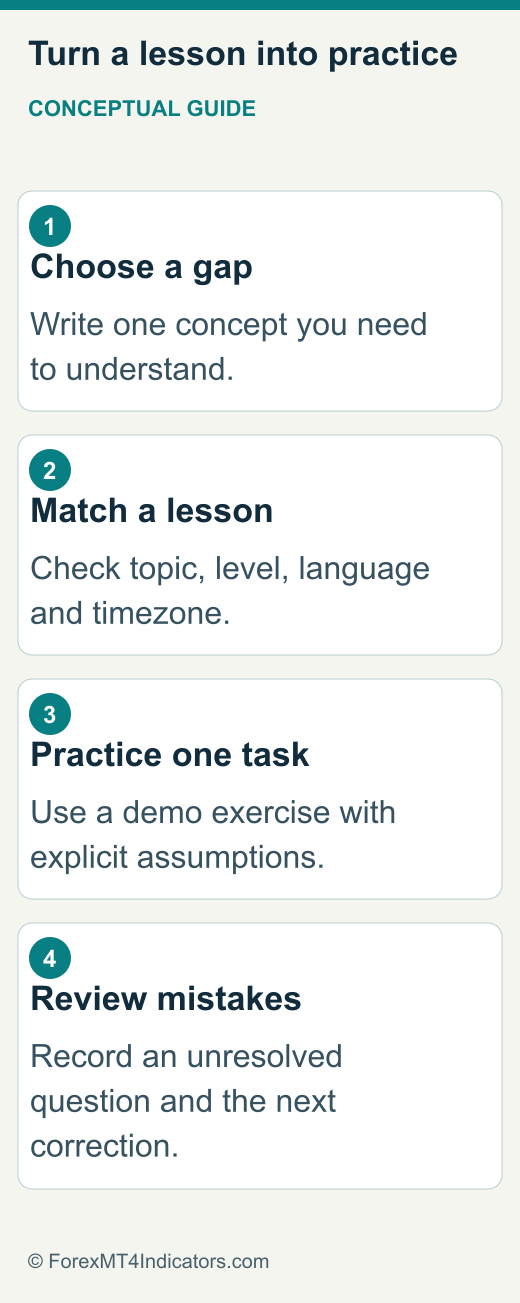
After the session, write the concept in your own words. Then define a task that would show whether you understood it. For a lesson on order types, the task might be explaining the difference between an alert, a pending entry and a stop loss on a demo platform before placing any practice order.
For a risk lesson, use fictional inputs. Suppose a practice balance is $2,000 and a selected teaching budget is 0.5%. The arithmetic gives $10. With an assumed 20-pip stop distance and $1 per pip at 0.10 lots, that size would imply $20 of price risk, so 0.05 lots would imply $10 under the same assumptions. Costs and execution differences remain additional considerations.
This is not a recommendation to use that risk percentage or stop distance, and the contract inputs must be checked. The XM demo guide helps organise realistic practice settings. A correctly completed arithmetic exercise is evidence of understanding, not proof of a profitable strategy.
Distinguish explanation from a current trading signal
An instructor may use a live chart to explain a concept. That does not automatically make every highlighted level a recommendation for your account. Record the symbol, date, timeframe and the conditional reasoning if you intend to study the example later.
Ask what would invalidate the idea and whether the lesson is demonstrating a method or discussing a temporary market view. Avoid copying only the entry level while ignoring position size, costs, market context or the alternative scenario.
If you also use analytical tools, the XM Trading Central guide explains how to inspect timestamps and scenario conditions. Agreement between a class discussion and a dashboard is not independent proof that a trade will work.
Review recordings without hindsight bias
If a recording is available, pause before the outcome is revealed and write what you would have understood at that moment. Then compare your interpretation with the explanation. This helps separate information available during the example from information that became obvious afterward.
Use the original publication date to assess whether product menus, prices and conditions may have changed. A recorded account tutorial can still teach a concept while showing controls that no longer match your interface. Follow current official help for exact operational steps.
Do not build a performance claim from selected successful examples in a lesson. A meaningful test needs rules set in advance, a defined sample, complete costs and unsuccessful cases. Educational demonstrations are usually designed to clarify concepts, not establish such a record.
Troubleshoot access with the event details attached
For a session that will not open, keep its title, date, timezone, access link source and the exact error wording. Add the browser or app version and whether profile login works separately. Those details help distinguish a missing registration from a device or account-access problem.
If you missed the session, ask whether a replay exists and where eligible viewers can find it. Do not assume every live room is recorded or that every recording remains available indefinitely. If the instructor’s materials are downloadable, use the authorised route and respect the conditions attached to them.
For a language mismatch, confirm the session itself rather than only the website’s navigation language. If subtitles or translation are important, verify them before attending. A translated landing page is not evidence that the live lesson will be delivered in the same language.
Build a learning record you can actually review
Keep a simple record with the session date, one concept learned, one unresolved question and one practice task. After completing the task, note what went wrong or required clarification. This is more useful than a list of videos watched without any application.
Progress does not require moving to a live account on a fixed timetable. Repeat a concept when you cannot yet explain its risks or reproduce its calculation. Learning to reject a trade or recognise missing information is a useful outcome of education.
If the next lesson assumes skills you do not have, return to the prerequisite rather than rushing through it. The goal is clearer decisions and fewer avoidable operational mistakes, not collecting attendance or assuming that a course provides financial certainty.
Frequently asked questions
Are XM webinars free?
The public Learning Center advertises free webinars, but check the particular session’s registration and account-access requirements. Do not infer a universal entitlement to all content or recordings.
Are replays always available?
No universal replay promise is supported. Check the event listing or ask the official education/support route whether the specific session has a recording and how long access lasts.
Which session is best for a beginner?
Choose one that addresses a concrete knowledge gap at the right level and in a language you understand. Platform basics, order types and risk calculations are useful foundations before fast live-market commentary.
Can education prove I am ready to trade live?
Watching a session cannot establish that. You need to understand the product, costs, operational controls and possible losses, and make a separate decision about whether live trading is appropriate.
Sources and review scope
Expansion content reviewed 9 September 2026. Source-specific dates and scopes appear below. No personal account or execution test.
- XM Learning Center · 2026-09-09 · XM Global public learning routes
- XM Live Education · 2026-09-09 · Public viewing and additional account access
- XM Help Center · 2026-09-09 · Official linked help route; client-rendered content not extracted