

XM leverage depends on the entity, account and instrument. The Global page checked on 9 September 2026 advertises up to 1000:1; the EEA margin page describes up to 30:1. Higher leverage lowers required margin for a fixed position, but it does not lower that position’s loss from a price movement.
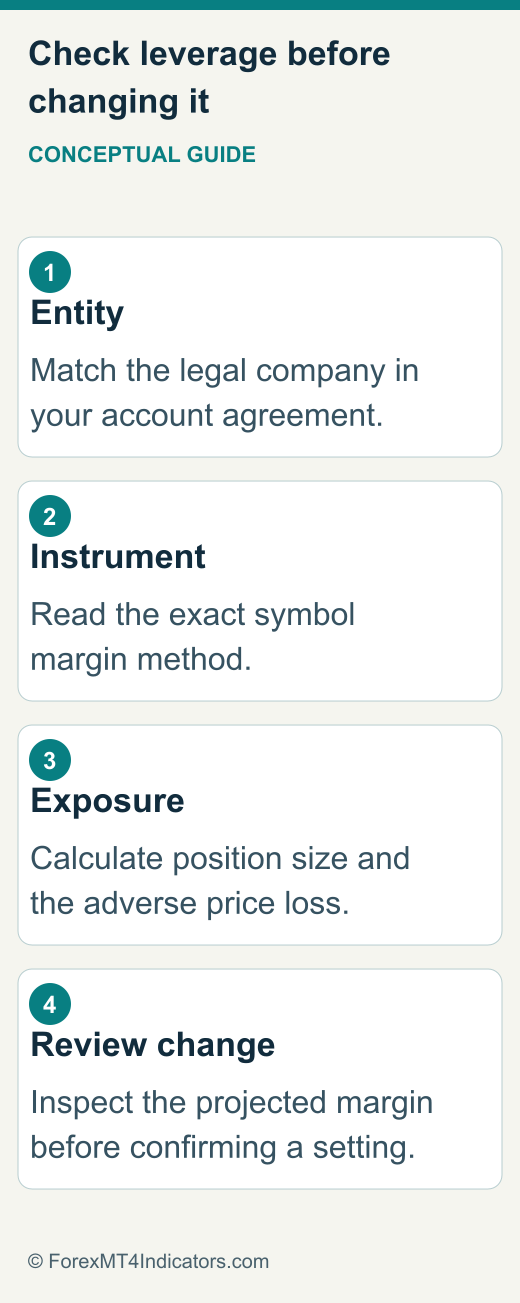
Find the company behind your leverage setting
Start with the legal company named in your account agreement. Then identify the trading account, platform, account currency and exact instrument. A public page that appears in your search results does not establish your personal limit. The same XM domain can present different regional products. Use our country guide directory for relevant local context.
The Global stable-leverage page and EEA margin page demonstrate why a brand-wide maximum is misleading. Their advertised limits belong to different presentations. Neither means every instrument receives the highest figure or that a reader is eligible to open that account.
A leverage figure is a ceiling on financing capacity, not a sensible position-size recommendation. If your account offers a higher ceiling than you need, that alone is no reason to use it. Choose exposure through a written risk calculation, then check that the required margin fits.
Account leverage and instrument margin are different checks
| Information | What it answers | Where to check |
|---|---|---|
| Account leverage | What account ratio is selected? | Trading-account details or settings |
| Instrument margin method | How is this symbol’s margin calculated? | Symbol specification and conditions |
| Required margin | How much margin does this position use? | Applicable calculation and order preview |
| Free margin | How much equity remains after used margin? | Current account summary |
| Margin level | How does equity compare with used margin? | Current account summary and contract |
Some instruments use a defined margin percentage or other instrument-specific method. Do not force a forex leverage formula onto a product with different specifications. Hedged positions, portfolio changes and currency conversions can also complicate the estimate. If the platform preview disagrees with your calculation, resolve the cause before relying on the smaller number.
Our XM account-types guide covers account selection. This guide concentrates on the relationship between the settings and the exposure they support.
Calculate margin with the units visible
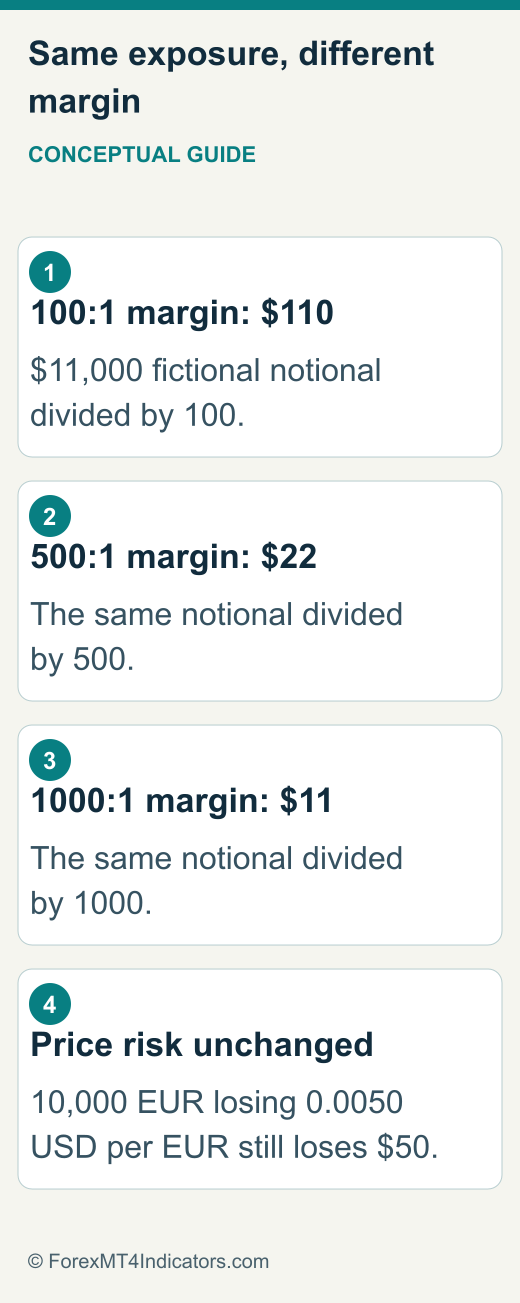
For a simple illustrative forex position, assume 0.10 lots of EUR/USD, 100,000 EUR per lot and a conversion price of 1.1000 USD per EUR. The exposure is 10,000 EUR, or $11,000. If the instrument uses a straightforward 100:1 margin ratio, required margin is $11,000 divided by 100, giving $110.
At 500:1, the same illustrative position requires $22. At 1000:1 it requires $11. Those are three calculations for the same $11,000 exposure, not three different levels of price risk. They assume a USD account, the stated contract size and no additional instrument or tier adjustment. They are not live XM margin quotes.
Write the formula with units: base units multiplied by USD per base unit, divided by leverage. That makes a missing conversion easier to spot. If margin currency differs from the account currency, identify the appropriate conversion and whether the platform’s calculation uses a different rate or method.
Higher leverage does not make a fixed trade safer
Using the same 10,000-EUR position, a 0.0050 EUR/USD price movement against the trade produces a $50 price loss. The calculation is 10,000 multiplied by 0.0050. It stays $50 whether the account’s selected leverage is 100:1 or 500:1, before trading costs and execution differences.
The danger appears when lower margin requirements encourage a larger position. Increasing this exposure fivefold would make that same price movement cost $250. A platform permitting an order does not prove that the account can tolerate a normal adverse move.
A stop loss is a separate instruction and can execute at a different price during gaps or fast markets. It is not created automatically by choosing a lower leverage ratio. Similarly, negative balance protection should not be read as protection against losing your account balance. Check the terms and plan the position independently.
Read equity, used margin and free margin together
In a simplified account without bonus credit or other adjustments, equity equals balance plus floating profit or loss. Free margin equals equity minus used margin. Margin level equals equity divided by used margin, multiplied by 100. These relationships are useful because a balance alone can look comfortable while open losses have already reduced available equity.
Suppose a fictional account has $1,000 equity and $200 used margin. Free margin is $800 and margin level is 500%. If losses reduce equity to $300 while used margin remains $200, free margin is $100 and margin level is 150%. At $100 equity, the same calculation produces 50%.
Used margin does not always remain constant in real accounts. Position closures, new orders, currency changes and instrument rules can alter it. Recalculate from the current summary rather than projecting a fixed threshold indefinitely. Where credit appears, understand its treatment through the XM bonus guide.
Margin call and stop-out are emergency limits
The XM Global Belize agreement linked on 9 September 2026 defines a 50% margin-call level and 20% stop-out level. This is an entity-specific contract reference, not a universal XM rule. Check the definitions and section 60 in the linked agreement and your actual account conditions.
For the fictional $200 used-margin example, 20% corresponds to $40 equity. That arithmetic does not guarantee an exact liquidation price or final remaining balance. Multiple positions, changing margin, execution costs and gaps can alter the outcome. Never build a trading plan around reaching stop-out as though it were an ordinary stop loss.
If your margin level is already under pressure, opening another position can worsen the problem. A settings change also needs care: reducing leverage can increase required margin for existing exposure. Review open positions and the projected account effect before submitting any change.
Prepare a leverage change without guessing the menus
The Global public page advertises adjustable leverage. Exact controls and permissible values depend on the account interface, so use this preparation sequence rather than assuming every reader has an identical three-click screen.
- Open your account through the official XM destination and select the intended trading account.
- Record its current leverage, equity, used margin and open positions.
- Locate the account’s leverage setting or request its location through official support.
- Read available choices and any restriction or projected-margin notice before selecting a value.
- After a change you decide to make, verify the saved account setting and current margin figures before placing another order.
If the option is unavailable, provide support with the account type, entity, platform and requested change. Ask whether the instrument or account has a fixed limit. Do not create duplicate profiles or use another country’s registration route to seek a different setting. The XM login guide helps distinguish profile access from trading-account access.
Practise the calculation before relying on it
A useful demo exercise compares the estimate with the platform’s displayed margin for a permitted small position. Record contract size, price, volume, account currency and margin method before looking at the result. If the two disagree, that is a learning opportunity, not a reason to force the arithmetic to fit.
Next, estimate the money lost at a chosen adverse price distance. Keep that calculation separate from margin. This single habit catches a common misunderstanding: having enough free margin to open a trade is different from accepting the money it can lose.
Include spread, commission and possible financing in the exercise using the XM fees guide. Demo conditions and fills may differ from live trading, so a successful calculation check is not evidence of future execution quality or profitable trading.
Keep the contract, account summary and calculation together. That makes a later discrepancy easier to explain without confusing an advertised maximum with the setting actually saved on your account.
Frequently asked questions
Is XM leverage always 1000:1?
No. That is the checked Global page’s advertised maximum. Entity, account and instrument restrictions still matter; the EEA page presents a different maximum.
Does changing leverage change pip value?
For the same instrument, volume and account-currency conversion, changing leverage does not change price-movement value. Increasing volume does.
Why did my margin estimate differ from the platform?
Check contract size, margin method, conversion, symbol suffix, existing positions and the applicable limits. Ask support for the exact calculation if the difference remains unexplained.
Should I choose the highest leverage available?
There is no universal best setting. Decide on acceptable exposure and loss first, then verify margin capacity. A high available ceiling should never determine the size of a trade by itself.
Sources and review scope
Expansion content reviewed 9 September 2026. Source-specific dates and scopes appear below. No personal account or execution test.
- XM stable leverage · 2026-09-09 · XM Global public maximum advertisement, not account-specific quote
- XM margin and leverage · 2026-09-09 · Cyprus EEA public presentation
- XM Global client agreement · 2026-09-09 · XM Global Limited Belize; linked from legal page on 2026-09-09
- MetaTrader 5 symbol specification · 2026-09-09 · Official platform documentation; general desktop workflow